Artificial intelligence has moved from being an experimental technology to becoming a practical business tool.
In 2026, a small business can use AI to write marketing content, analyse spreadsheets, answer customer questions, create designs, automate repetitive tasks, manage leads, prepare reports and improve day-to-day productivity.
The biggest opportunity is not simply using AI to generate text. It is using AI to reduce repetitive work and help a small team operate like a much larger one.
For example, Google Workspace now integrates Gemini across tools such as Gmail, Docs, Sheets and Meet, while its AI capabilities can help with email drafting, research, meeting notes, content creation and data analysis.
Similarly, OpenAI is positioning ChatGPT for small businesses as a tool for tasks ranging from marketing and customer work to financial reporting and operations.
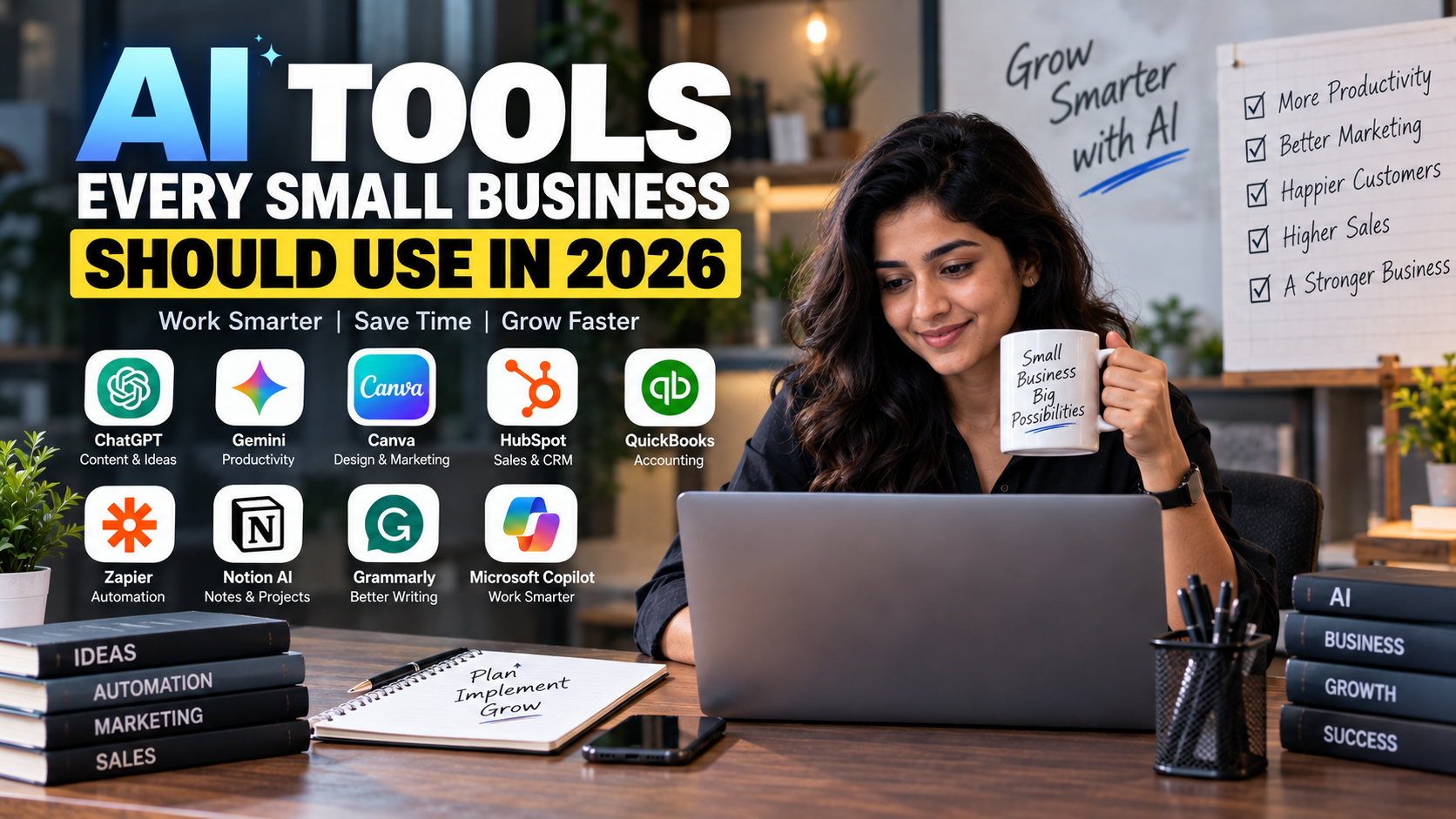
This guide covers the AI tools every small business should consider using in 2026, what each tool is useful for, where it fits into your workflow and how to implement AI without creating unnecessary complexity.
Why Small Businesses Need AI in 2026
Small businesses usually operate with limited:
-
Employees
-
Time
-
Marketing budgets
-
Technical resources
-
Management capacity
One person may be responsible for several functions.
A business owner might simultaneously handle:
Sales + Marketing + Customer Service + Finance + Operations + Hiring
AI can help reduce the amount of repetitive work involved in these activities.
AI can help with:
-
Writing
-
Research
-
Data analysis
-
Customer communication
-
Design
-
Marketing
-
Sales
-
Accounting workflows
-
Meeting notes
-
Project management
-
Automation
-
Reporting
The objective should not be to replace every human task.
Instead:
Use AI for repetitive work so people can spend more time on decisions, relationships and growth.
1. ChatGPT – Your General-Purpose AI Business Assistant
OpenAI's ChatGPT can be useful as a general-purpose AI assistant for small businesses.
It can support tasks such as:
-
Writing emails
-
Creating marketing content
-
Brainstorming
-
Research
-
Business planning
-
Data analysis
-
Summarising documents
-
Creating reports
-
Preparing presentations
-
Analysing spreadsheets
-
Developing workflows
-
Customer-response drafts
OpenAI's current small-business offering specifically positions ChatGPT as a tool that can help teams work across customers, financial reports, marketing materials and operations.
Example
Instead of spending an hour creating a marketing campaign brief, a business owner can provide:
Product + target customer + offer + campaign goal
and ask AI to produce:
-
Campaign ideas
-
Ad copy
-
Email copy
-
Social media posts
-
Video scripts
-
Customer FAQs
The output should still be reviewed by a human before publication.
Best For
General business productivity
2. Google Workspace with Gemini – AI for Everyday Office Work
If your business already uses Gmail, Google Drive, Docs and Sheets, Google Workspace with Gemini can be particularly useful because AI is integrated into the tools your team already uses.
Google says Gemini can help small businesses with tasks such as:
-
Email drafting
-
Document creation
-
Research
-
Meeting summaries
-
Spreadsheet analysis
-
Presentation creation
-
Workflow automation
Gemini can also work across Workspace applications such as Gmail, Docs, Sheets, Slides, Drive and Meet.
Example Workflow
A customer sends a long email.
Gemini can help:
Summarise email → identify action items → draft response → create follow-up task
That can eliminate several manual steps.
For Finance Teams
Gemini in Sheets can help users clean data, identify trends and generate charts from business data using natural-language prompts.
Best For
Email + documents + spreadsheets + meetings
3. Canva AI – Marketing and Design
Visual content is essential for modern businesses.
But hiring a professional designer for every:
-
Instagram post
-
Advertisement
-
Presentation
-
Flyer
-
Product graphic
-
Poster
-
Social media banner
may not be practical for a small company.
Canva AI can help businesses create and adapt branded content more quickly.
Canva's current AI platform includes conversational design workflows, brand intelligence, connectors and AI-assisted creation of editable designs.
Canva also positions its small-business offering around creating content faster, maintaining brand consistency and producing AI-assisted marketing assets.
Example
Give AI:
Product photo + company colours + campaign objective
Then create:
-
Instagram post
-
Facebook ad
-
Story
-
Presentation
-
Flyer
-
Email graphic
Important
AI-generated designs should still be checked for:
-
Brand consistency
-
Text accuracy
-
Product accuracy
-
Pricing
-
Contact details
-
Legal claims
Best For
Design + social media + marketing materials
4. HubSpot Breeze – AI for Sales and Customer Management
As a business grows, managing leads manually becomes difficult.
This is where an AI-enabled CRM can become useful.
HubSpot's Breeze AI can help with CRM-related work, content creation, information retrieval and workflow automation.
HubSpot currently describes Breeze as an AI system that can complete tasks, create content, find information and automate workflows throughout HubSpot.
Breeze can also summarise CRM records, marketing performance and reports.
Sales Example
A lead fills out your website form.
Your workflow can become:
New lead → CRM record → AI summary → Lead qualification → Sales task → Follow-up
This reduces the risk of leads being forgotten.
HubSpot's current AI capabilities also include content generation and connected-app information retrieval.
Best For
CRM + sales + marketing + customer service
5. QuickBooks with Intuit AI – AI-Assisted Accounting
Accounting is one area where small businesses should use AI carefully.
The goal isn't to let AI make unsupervised financial decisions.
Instead, AI can reduce repetitive accounting work while keeping humans involved in important decisions.
QuickBooks currently includes Intuit AI capabilities designed to assist with accounting workflows, transaction handling, tax-related tasks and payments.
Potential Uses
-
Transaction categorisation
-
Bookkeeping assistance
-
Financial insights
-
Invoice reminders
-
Payment workflows
-
Tax-related assistance
-
Accounting data organisation
Example
Instead of manually reviewing every transaction:
Bank transaction → AI categorisation → Review → Accountant approval
This can reduce administrative work while maintaining human oversight.
Important for Indian Businesses
Accounting software and AI tools should be configured for the applicable Indian tax and accounting requirements. Businesses should not assume that a tool designed primarily for another jurisdiction automatically handles Indian GST, TDS and other compliance requirements correctly.
Best For
Bookkeeping + financial administration
6. Zapier – AI-Powered Business Automation
Many businesses use multiple applications:
Gmail + CRM + Google Sheets + WhatsApp + Forms + Slack + accounting software
The problem is that employees have to move information between these systems.
Automation tools can connect them.
Zapier supports thousands of app integrations and increasingly combines traditional automation with AI steps and agents. Zapier currently says its platform connects to more than 9,000 apps.
Example
A customer submits a website form.
Automation can:
Form submission → CRM lead → AI lead summary → Sales notification → Follow-up task
No employee needs to manually copy the information between systems.
AI + Automation
Zapier recommends combining deterministic automation with AI where reasoning is actually useful, rather than using AI for every step.
That's an important principle.
Use normal automation for:
"If X happens, always do Y."
Use AI when:
"Read this information and decide what should happen next."
Best For
Connecting your entire business workflow
7. Notion AI – Business Knowledge and Project Management
Small businesses often have information scattered across:
-
Google Drive
-
WhatsApp
-
Emails
-
PDFs
-
Spreadsheets
-
Chat messages
-
Project-management tools
This makes it difficult for employees to find information.
Notion AI combines documentation, databases, project management and AI assistance.
Notion's current AI offering includes AI agents, enterprise search, AI meeting notes and the ability to work with information from connected apps.
Possible Uses
Create a central workspace for:
-
SOPs
-
Employee onboarding
-
Project plans
-
Meeting notes
-
Product documentation
-
Marketing plans
-
Internal FAQs
-
Business processes
Then use AI to search and summarise that information.
Example
An employee asks:
"What is our process for handling a new customer?"
Instead of asking another employee, they can search the company's documented process and use AI to summarise it.
Best For
Knowledge management + projects + internal documentation
8. AI Meeting Assistants – Turn Meetings Into Action Items
Meetings create another hidden productivity cost.
A one-hour meeting with six employees is actually:
6 employee-hours
If nobody records the decisions, the same conversation may happen again.
AI meeting tools can help with:
-
Transcription
-
Summaries
-
Action items
-
Key decisions
-
Follow-ups
-
Meeting search
Google Meet with Gemini, for example, can capture meeting notes and send summaries and action items to users.
Better Meeting Workflow
Meeting → AI notes → Decisions → Assigned tasks → Follow-up
This is much more useful than simply generating a transcript.
Best For
Meetings + project management + accountability
9. AI Tools for Customer Support
Customer support is another area where AI can save time.
A small business can use AI to assist with:
-
FAQs
-
Product information
-
Order questions
-
Appointment information
-
Basic troubleshooting
-
Email responses
-
Support-ticket summaries
However, AI should not automatically handle every customer situation.
Use Human Escalation For:
-
Refund disputes
-
Legal complaints
-
Sensitive personal information
-
Complex technical problems
-
Financial issues
-
Angry customers
-
Exceptions to company policy
The goal is:
AI handles routine questions → Human handles complex situations
10. AI for Sales Research and Lead Qualification
Salespeople often spend significant time researching prospects.
AI can help summarise:
-
Company information
-
Industry
-
Customer needs
-
Previous conversations
-
Website information
-
CRM records
For example:
Lead → Research → AI summary → Qualification → Personalised outreach
This can help a small sales team spend more time talking to qualified prospects.
HubSpot's current Breeze capabilities include CRM data analysis, meeting preparation, content creation and connected-app workflows.
11. AI for Content Marketing
Small businesses often know they need content but don't have enough time to create it.
AI can help convert one piece of content into multiple formats.
For example:
One Blog Post
↓
LinkedIn post
↓
Instagram caption
↓
Email newsletter
↓
Short video script
↓
FAQ
↓
Sales message
This is called content repurposing.
Google specifically highlights using Gemini to adapt blog posts into social snippets, email campaigns and video scripts.
The human should remain responsible for:
-
Brand voice
-
Facts
-
Strategy
-
Original insights
-
Final approval
12. AI for Business Data Analysis
You don't necessarily need a data scientist to start using AI for basic business analysis.
AI can help analyse:
-
Sales data
-
Expenses
-
Customer lists
-
Inventory
-
Advertising performance
-
Revenue trends
-
Employee data
For example, instead of manually searching a spreadsheet, you could ask:
"Which products generated the highest revenue this quarter?"
or:
"Which customers have not purchased in the last 90 days?"
Google says Gemini in Sheets can help clean data, identify trends and generate charts using natural-language requests.
13. AI for Inventory and Operations
For retail, manufacturing and e-commerce businesses, AI can help analyse operational data.
Potential uses include:
-
Inventory forecasting
-
Demand analysis
-
Supplier information
-
Sales trends
-
Stock alerts
-
Purchase planning
-
Operational reporting
For example:
Historical sales → AI analysis → Demand estimate → Inventory planning
AI should support the decision rather than automatically placing large orders without appropriate controls.
14. AI for Human Resources
Small businesses can also use AI to reduce HR administration.
Potential uses include:
-
Job-description drafting
-
Candidate screening assistance
-
Interview-question generation
-
Employee onboarding
-
Training documents
-
Policy drafting
-
Internal FAQs
However, hiring decisions require human oversight.
AI should not be treated as the sole decision-maker for employment decisions, especially where bias, discrimination, privacy or regulatory concerns could arise.
15. AI for Presentations and Business Proposals
Small businesses regularly create:
-
Sales proposals
-
Pitch decks
-
Business plans
-
Reports
-
Client presentations
AI can help turn raw information into a structured presentation.
A typical workflow:
Notes → Outline → Slides → Visuals → Human review
Google Workspace's Gemini tools can assist with presentations and business content within the Workspace environment.
16. AI for Video Marketing
Video has become an important marketing format for small businesses.
AI can help with:
-
Script writing
-
Storyboarding
-
Captions
-
Voiceovers
-
Video editing
-
Short-form content
-
Product demonstrations
-
Repurposing long videos
Google's current Workspace AI offering includes Vids for creating collaborative business videos, while Canva AI also supports broader visual-content workflows.
The best use of AI is often to accelerate editing and production rather than publishing completely unreviewed AI-generated content.
17. AI for Business Research
Small businesses rarely have large research departments.
AI can help research:
-
Competitors
-
Customer segments
-
Market trends
-
Product ideas
-
Industry developments
-
Marketing opportunities
-
Business models
But research should be verified before important business decisions are made.
AI can generate incorrect information or misunderstand the context.
Use AI as:
Research assistant → Not final authority
The AI Stack a Small Business Can Start With
You don't need 20 AI subscriptions.
A practical starting stack could look like this:
| Business Need | AI Tool Category | Example |
|---|---|---|
| General productivity | AI assistant | ChatGPT |
| Office work | AI workspace | Gemini |
| Design | AI design platform | Canva AI |
| CRM | AI CRM | HubSpot Breeze |
| Accounting | AI accounting | QuickBooks / local accounting platform |
| Automation | AI workflow | Zapier |
| Knowledge management | AI workspace | Notion AI |
| Meetings | AI meeting assistant | Gemini / meeting AI |
| Customer service | AI support | CRM/helpdesk AI |
| Research | AI assistant | ChatGPT / Gemini |
The exact combination depends on your industry, existing software and budget.
Don't Buy Every AI Tool
One of the biggest mistakes businesses can make in 2026 is AI tool overload.
You don't need separate software for every small task.
For example, if your existing business suite already provides:
-
Email AI
-
Document AI
-
Spreadsheet AI
-
Meeting AI
-
Presentation AI
you may not need five additional AI subscriptions.
Google explicitly positions Gemini across Workspace apps so businesses can use AI inside tools they already use.
Before buying another AI tool, ask:
-
Does my current software already do this?
-
How often will we use it?
-
How much employee time will it save?
-
Does it integrate with our existing systems?
-
What happens to our business data?
-
Can we measure the ROI?
How to Calculate AI ROI
Don't measure AI only by the number of tasks completed.
Measure the business impact.
Basic Formula
AI ROI = Value Created − AI Cost
For example:
An AI tool costs:
₹5,000/month
It saves:
30 employee-hours/month
If the business values those hours at ₹500/hour:
30 × ₹500 = ₹15,000
Potential monthly value:
₹15,000 − ₹5,000 = ₹10,000
This is only an illustrative calculation. The actual value depends on how the saved time is redeployed.
How to Implement AI in a Small Business
Step 1: List Repetitive Tasks
Write down everything your team does repeatedly.
Examples:
-
Email replies
-
Reports
-
Data entry
-
Social posts
-
Meeting notes
-
Invoice reminders
-
Lead follow-ups
Step 2: Identify the Most Time-Consuming Tasks
Find tasks that are:
Frequent + repetitive + time-consuming
These are usually good AI candidates.
Step 3: Start With One Workflow
Don't introduce AI everywhere simultaneously.
For example:
Customer enquiry → AI draft response → Human approval → Send
Test it for a few weeks.
Step 4: Measure Results
Track:
-
Time saved
-
Error rate
-
Cost
-
Revenue impact
-
Employee adoption
-
Customer satisfaction
Step 5: Automate Only After Testing
First prove that the process works manually with AI assistance.
Then automate it.
This reduces the risk of automating a broken process.
AI Safety Rules for Small Businesses
AI can create significant productivity gains, but businesses should establish basic controls.
Don't Put Sensitive Information Into Unapproved AI Tools
Be careful with:
-
Customer data
-
Passwords
-
Bank information
-
Confidential contracts
-
Employee information
-
Trade secrets
-
Proprietary source code
Use business-grade products and review their data-handling terms.
Google states that commercial Workspace customer data is not used to train Gemini models or for advertising, while Notion and OpenAI also publish specific business data controls.
Always Review AI-Generated Content
AI can make mistakes.
Check:
-
Numbers
-
Names
-
Dates
-
Legal claims
-
Product specifications
-
Tax information
-
Customer information
Keep Humans in the Loop
For high-impact decisions involving:
-
Money
-
Legal matters
-
Hiring
-
Customer disputes
-
Compliance
-
Security
AI should generally assist rather than operate without human review.
Zapier's current guidance similarly recommends keeping humans involved in customer-facing, financially sensitive and other high-stakes workflows.
Common AI Mistakes Small Businesses Should Avoid
1. Using AI Without a Business Goal
Don't use AI just because competitors are using it.
2. Buying Too Many Tools
Start small.
3. Automating Bad Processes
AI cannot fix a fundamentally broken workflow.
4. Publishing AI Content Without Review
Human editing remains important.
5. Ignoring Data Privacy
Know what information you're sharing.
6. Expecting Perfect Accuracy
AI outputs need verification.
7. Removing Human Oversight
AI should support important decisions, not blindly make them.
8. Measuring Activity Instead of Results
The goal isn't:
"We generated 500 AI posts."
The goal is:
"We increased qualified leads while reducing production time."
A Practical AI Adoption Plan for 2026
Month 1: Productivity
Introduce:
-
AI assistant
-
AI email support
-
AI document creation
-
AI meeting notes
Month 2: Marketing
Add:
-
AI content
-
AI design
-
AI video
-
Content repurposing
Month 3: Sales
Implement:
-
CRM AI
-
Lead summaries
-
Automated follow-ups
-
Customer research
Month 4: Operations
Automate:
-
Data entry
-
Reports
-
Notifications
-
Internal workflows
Month 5: Finance
Use AI-assisted:
-
Reporting
-
Transaction review
-
Invoice follow-ups
-
Cash-flow analysis
Month 6: AI Agents
Once your basic workflows are reliable, experiment with AI agents for repetitive multi-step tasks.
Current AI-agent platforms can connect models to business applications and perform multi-step tasks, but they should be introduced with permissions, guardrails and human approval where appropriate.
A Simple AI Workflow for a Small Business
Imagine a customer submits an enquiry through your website.
Without AI
Website form
↓
Employee checks email
↓
Copies customer details
↓
Adds CRM record
↓
Researches customer
↓
Writes response
↓
Creates follow-up reminder
↓
Updates spreadsheet
This may take 10–20 minutes.
With AI + Automation
Website form
↓
CRM automatically created
↓
AI summarises lead
↓
AI drafts personalised response
↓
Salesperson reviews
↓
Email sent
↓
Follow-up task created automatically
The employee remains involved, but much of the repetitive administration disappears.
Which AI Tools Should You Start With?
If you're completely new to AI, don't start with ten tools.
Start with three layers:
Layer 1: AI Assistant
ChatGPT or Gemini
Use it for:
-
Writing
-
Research
-
Analysis
-
Brainstorming
Layer 2: AI Inside Your Existing Software
Use AI in the tools you already rely on:
-
Gmail
-
Google Docs
-
Sheets
-
CRM
-
Accounting
-
Project management
Layer 3: Automation
Add a platform such as Zapier when you have repetitive processes that need to connect across applications.
This approach keeps your AI stack manageable.
Final AI Checklist for Small Businesses
Before the end of 2026, consider whether your business has AI support for:
☐ Email and communication
☐ Content creation
☐ Graphic design
☐ Video production
☐ Customer support
☐ Lead management
☐ Sales research
☐ Accounting workflows
☐ Data analysis
☐ Meeting notes
☐ Project management
☐ Business research
☐ Workflow automation
☐ Internal knowledge management
☐ Reporting
☐ Customer follow-up
You don't necessarily need a separate AI application for every item.
One platform may cover several functions.
Final Thoughts
AI is becoming a practical productivity layer for small businesses.
The biggest opportunity in 2026 is not simply generating more content. It is connecting AI to the repetitive work that consumes your team's time.
A small business can use AI to:
Write faster → Analyse faster → Respond faster → Automate faster → Make better-informed decisions
Tools such as ChatGPT, Gemini, Canva AI, HubSpot Breeze, AI-enabled accounting software, Zapier and Notion can cover many of the most common small-business workflows.
But technology alone doesn't create business growth.
The businesses that benefit most from AI will be the ones that identify specific problems, implement AI into repeatable workflows, measure the results and maintain appropriate human oversight.
Don't ask:
"Where can we use AI?"
Ask:
"Which repetitive business problem can AI solve better, faster or more efficiently?"
Start with one workflow.
Measure the result.
Improve it.
Then scale AI across the business.
AI should not make your business more complicated. It should make running your business simpler.
Disclaimer: AI tools, features, pricing, availability and data-handling policies change frequently. Always review the current terms, privacy documentation and plan limitations of a tool before using it for confidential business information. AI-generated outputs should be reviewed by qualified people before being used for financial, legal, tax, compliance, employment or other high-impact decisions.
Published on September 17, 2026