Technology has changed almost every part of running a business—from sales and marketing to banking, payments, customer management, and communication. Accounting is going through the same transformation.
Traditionally, businesses maintained financial records using physical files, spreadsheets, or accounting software installed on a specific computer. While these methods can still work, they often become difficult to manage as a business grows.
This is one reason cloud accounting has become increasingly important.
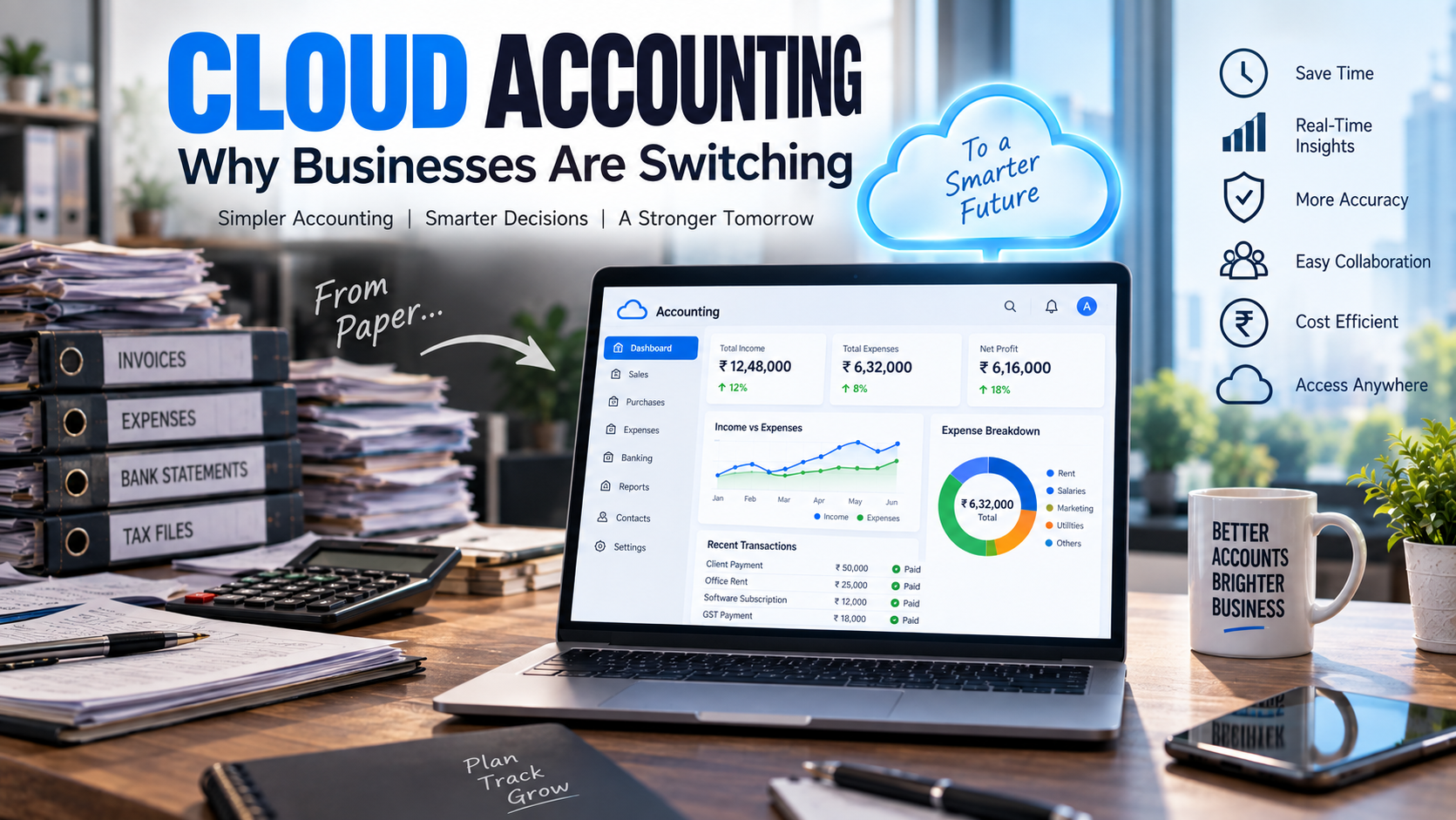
Cloud accounting allows businesses to manage financial information through internet-connected accounting platforms rather than depending entirely on one computer or physical location. Depending on the software, business owners and accountants can access accounts, generate invoices, monitor expenses, reconcile transactions, and review financial reports from authorized devices.
But is cloud accounting actually better? Why are businesses switching? And what should you consider before moving your accounts to the cloud?
Let's explore.
What Is Cloud Accounting?
Cloud accounting is the process of managing accounting and financial records using software hosted on remote servers and accessed through the internet.
Instead of installing accounting software and storing all information exclusively on an office computer, financial data is maintained within a cloud-based system.
Authorized users can typically log in through a web browser or application.
Cloud accounting platforms may provide features such as:
-
Invoicing
-
Expense tracking
-
Bank reconciliation
-
Accounts receivable
-
Accounts payable
-
Financial reporting
-
Inventory management
-
Tax-related reports
-
Payroll integrations
-
Document storage
-
User permissions
-
Business dashboards
-
Automated workflows
The exact features depend on the accounting platform and subscription plan.
How Does Cloud Accounting Work?
The basic process is straightforward.
A business records financial transactions in its cloud accounting platform. The information is processed and stored online rather than being maintained only on a local computer.
A typical workflow might look like this:
Sale → Invoice → Customer Payment → Bank Transaction → Reconciliation → Accounting Records → Financial Reports
For expenses:
Purchase → Supplier Invoice → Payment → Bank Transaction → Expense Classification → Financial Reports
When properly configured, different parts of this process can be connected.
For example, a customer payment can be matched against an outstanding invoice, while bank transactions can be reconciled against accounting records.
This reduces the need to repeatedly enter the same information into different spreadsheets or systems.
Traditional Accounting Software vs Cloud Accounting
Traditional desktop accounting software usually operates from a particular computer or local network.
Cloud accounting operates through an online environment.
| Feature | Traditional/Desktop Accounting | Cloud Accounting |
|---|---|---|
| Software location | Local computer/server | Cloud infrastructure |
| Access | Usually office/device dependent | Remote access where supported |
| Updates | May require manual installation | Usually provider-managed |
| Collaboration | More limited | Easier for authorized users |
| Data backup | Often business-managed | Usually includes provider-side infrastructure, but backup policies vary |
| Integration | Can be limited | Often supports multiple integrations |
| Scalability | May require infrastructure changes | Often easier to expand |
| Financial visibility | Depends on updates | Can provide current data when transactions are kept updated |
| Maintenance | More internal responsibility | More provider-managed |
| Subscription | May use licence model | Commonly subscription-based |
Neither model is automatically right for every company. The appropriate system depends on business requirements.
Why Are Businesses Switching to Cloud Accounting?
Several factors are driving the transition.
1. Access Accounts From Different Locations
One of the most practical advantages of cloud accounting is accessibility.
Business owners no longer necessarily need to be sitting at the office computer to check financial information.
Depending on the software and permissions, authorized users may access information from:
-
Office computers
-
Laptops
-
Tablets
-
Smartphones
-
Branch offices
-
Remote locations
This can be particularly useful for businesses with multiple branches, remote employees, traveling management teams, or outsourced accountants.
2. Faster Access to Financial Information
Businesses need financial information throughout the year—not only when tax returns or annual accounts are being prepared.
Management may need to know:
-
How much did we sell this month?
-
How much money do customers owe us?
-
Which invoices are overdue?
-
What are our largest expenses?
-
How much cash is available?
-
How much do we owe suppliers?
-
Is the company profitable?
-
Are expenses increasing?
-
How is this month performing compared with the previous month?
Cloud accounting can make this information easier to access when transactions are recorded and reconciled regularly.
Instead of waiting until year-end, businesses can monitor financial performance throughout the year.
3. Better Collaboration With Accountants
Traditional accounting often involves sending documents back and forth.
For example:
Business → sends invoices → accountant enters data → accountant requests missing documents → business sends documents → accountant prepares report
This can become inefficient.
With an appropriately configured cloud accounting system, authorized accountants and business owners can work from the same accounting environment.
An accountant may be able to:
-
Review transactions
-
Check classifications
-
Reconcile accounts
-
Correct accounting entries
-
Review outstanding balances
-
Prepare financial statements
-
Generate reports
This can reduce unnecessary duplication and improve communication between the business and its accounting team.
4. Automation of Repetitive Accounting Tasks
Accounting involves many repetitive activities.
Cloud accounting platforms can automate or simplify some of them.
Depending on the system, automation may include:
Recurring Invoices
Regular customer invoices can be generated automatically.
Payment Reminders
Customers can receive reminders when invoices become overdue.
Bank Feeds
Bank transactions may be imported directly into the accounting platform where supported.
Transaction Matching
The software may suggest matches between bank transactions and accounting records.
Recurring Expenses
Regular transactions can be automatically recorded or categorized according to predefined rules.
Financial Reporting
Reports can be generated using recorded accounting data.
Automation does not eliminate the accountant. Instead, it can reduce low-value repetitive work so accountants can spend more time on review, analysis, compliance, and financial planning.
5. Improved Invoicing
Cash flow problems are often connected to delayed customer payments.
Cloud accounting can help businesses create a more structured invoicing process.
Depending on the platform, businesses may be able to:
-
Create professional invoices
-
Email invoices directly
-
Generate recurring invoices
-
Track invoice status
-
Record customer payments
-
Monitor outstanding invoices
-
Send payment reminders
-
View accounts receivable reports
A clear invoicing process helps management understand exactly how much money customers owe the business.
6. Easier Expense Management
Small expenses can become difficult to track when receipts are stored in wallets, drawers, WhatsApp conversations, email inboxes, and physical folders.
Cloud accounting can create a centralized expense-management process.
Employees or accountants may be able to upload supporting documents and connect them with accounting transactions.
This can improve record organization and reduce the time spent searching for documents later.
7. Faster Bank Reconciliation
Bank reconciliation is one of the most important accounting controls.
It compares the transactions recorded in the accounting system with transactions appearing in the bank account.
Traditional reconciliation can require accountants to manually compare long lists of transactions.
Cloud accounting platforms may import bank transactions and suggest matches with existing accounting entries.
The accountant can then review and approve the matches.
This can significantly reduce reconciliation time, particularly for businesses with high transaction volumes.
8. Better Cash Flow Visibility
Profit and cash flow are not the same.
A business can show a profit but still experience cash shortages because:
-
Customers have not paid
-
Inventory has consumed cash
-
Loan repayments are due
-
Supplier payments are approaching
-
Tax payments are due
-
Large expenses occurred
Cloud accounting can help businesses monitor information such as:
Bank Balance + Receivables − Payables − Upcoming Obligations
Depending on the system, dashboards and reports can provide management with a clearer view of cash movement.
This can help businesses plan expenses and working capital more effectively.
9. Financial Dashboards
Traditional accounting reports can sometimes be difficult for non-accountants to interpret.
Modern cloud accounting platforms often provide dashboards that summarize important financial indicators.
A dashboard may show:
-
Revenue
-
Expenses
-
Profit
-
Cash balance
-
Accounts receivable
-
Accounts payable
-
Overdue invoices
-
Sales trends
-
Expense categories
These dashboards can make financial information easier for business owners to understand.
However, dashboards are only useful when the underlying accounting data is accurate and current.
Incorrect data produces incorrect dashboards.
10. Reduced Dependence on One Computer
Imagine that all of a company's accounting data is stored on a single office computer.
If that computer experiences:
-
Hardware failure
-
Theft
-
Accidental damage
-
Disk corruption
-
Malware
-
File deletion
access to accounting records could be disrupted if adequate backups do not exist.
Cloud accounting reduces dependence on a single local device because the primary system is hosted online.
However, businesses should still understand their provider's backup, data recovery, retention, and export policies.
11. Software Updates Are Easier
Traditional desktop software may require manual updates.
Updates can involve:
-
Downloading software
-
Installing patches
-
Updating different computers
-
Maintaining servers
-
Managing compatibility
With cloud accounting, much of the underlying software maintenance is typically handled by the provider.
This allows businesses to use updated versions without individually installing every software update.
12. Cloud Accounting Can Scale With the Business
A small company may begin with:
-
One owner
-
One accountant
-
One bank account
-
A few customers
Several years later, it may have:
-
Multiple employees
-
Hundreds of customers
-
Several bank accounts
-
Multiple branches
-
Thousands of monthly transactions
-
Dedicated finance staff
Accounting systems need to grow with the business.
Many cloud accounting platforms offer different subscription levels, users, integrations, and features that can be added as requirements become more complex.
This makes cloud accounting attractive to growing businesses.
13. Integration With Other Business Systems
Accounting should not operate in isolation.
Modern businesses use multiple systems, including:
-
Banking
-
E-commerce
-
Payment gateways
-
Customer relationship management (CRM)
-
Payroll
-
Inventory
-
Point-of-sale systems
-
Expense management
-
Business analytics
Many cloud accounting platforms can connect with external applications.
For example:
Online Store → Payment Gateway → Accounting System → Bank → Financial Report
Good integrations can reduce duplicate data entry and create a more connected business operation.
14. Better Accounts Receivable Management
Businesses can lose control of cash flow when unpaid invoices are not monitored properly.
A structured cloud accounting system can help categorize receivables by age.
For example:
| Outstanding Period | Action |
|---|---|
| 0–30 days | Normal monitoring |
| 31–60 days | Follow-up |
| 61–90 days | Stronger collection action |
| 90+ days | Management review |
This gives management a clearer picture of customers who are paying on time and customers whose balances require attention.
15. Improved Financial Decision-Making
One of the biggest advantages of cloud accounting is not bookkeeping itself.
It is access to financial information that supports decisions.
Suppose a business owner wants to open another branch.
Before making the decision, management should understand:
-
Current profitability
-
Cash reserves
-
Monthly operating costs
-
Existing debt
-
Working capital
-
Revenue trends
-
Customer receivables
-
Expected expansion costs
Accurate cloud accounting can make this information easier to obtain and analyze.
Accounting therefore becomes a business management tool, not merely a record-keeping requirement.
Is Cloud Accounting Secure?
Security is one of the most common concerns businesses have about cloud accounting.
Reputable cloud providers may use measures such as:
-
Encryption
-
Multi-factor authentication
-
Access controls
-
Monitoring
-
Security updates
-
Data redundancy
-
Backup systems
But security is a shared responsibility.
Businesses should also implement good practices.
Use Strong Passwords
Avoid simple or reused passwords.
Enable Multi-Factor Authentication
Use MFA whenever the platform supports it.
Control User Permissions
Employees should only receive access necessary for their responsibilities.
Remove Former Employees
User access should be disabled promptly when employees leave the organization.
Review Activity
Where supported, review login and transaction activity.
Protect Devices
Computers and smartphones accessing financial information should also be properly secured.
Cloud accounting can provide strong security, but poor password and access-management practices can still create risks.
Challenges of Cloud Accounting
Cloud accounting has many benefits, but businesses should also understand its limitations.
Internet Dependency
Reliable internet access is normally required for full use.
Subscription Costs
Cloud accounting typically involves recurring monthly or annual fees.
Migration
Moving historical accounting data from an existing system may require planning and professional support.
Training
Employees need to learn the new system.
Cybersecurity
Online financial information requires proper security controls.
Vendor Dependency
Businesses depend partly on the software provider's infrastructure, policies, pricing, and product development.
Integration Problems
Not every business application integrates perfectly with every accounting platform.
Understanding these factors before implementation can prevent problems later.
Who Should Consider Cloud Accounting?
Cloud accounting can be particularly useful for:
-
Startups
-
Small and medium-sized businesses
-
E-commerce companies
-
Professional service firms
-
Retail businesses
-
Companies with multiple branches
-
Businesses with remote teams
-
Companies processing many invoices
-
Businesses wanting better financial reporting
-
Growing companies preparing for expansion
Very complex organizations may require more specialized ERP or enterprise financial systems rather than a standard small-business cloud accounting platform.
How to Choose Cloud Accounting Software
Don't select accounting software only because it is popular.
Start with your business requirements.
Evaluate the following:
1. Business Size
How many employees and users need access?
2. Transaction Volume
How many invoices, purchases, payments, and bank transactions occur each month?
3. Accounting Requirements
Do you require basic bookkeeping or advanced reporting?
4. Tax Requirements
Does the software support the tax and compliance requirements relevant to your business?
5. Inventory
Do you need inventory management?
6. Payroll
Does payroll need to be integrated?
7. Integrations
Can the system connect with your bank, CRM, payment gateway, or e-commerce platform where needed?
8. Reporting
Can management obtain the financial reports it actually needs?
9. Security
Does the provider offer appropriate security controls?
10. Data Portability
Can you export your accounting data if you later change systems?
11. Support
What customer or implementation support is available?
12. Cost
Consider the total cost, including users, add-ons, implementation, training, and integrations.
How to Move to Cloud Accounting
Migration should be planned rather than rushed.
Step 1: Review Your Existing Accounts
Identify:
-
Bank accounts
-
Customer balances
-
Supplier balances
-
Inventory
-
Fixed assets
-
Loans
-
Taxes
-
Opening balances
Step 2: Clean Existing Data
Correct duplicates, outdated accounts, and obvious errors before migration.
There is little value in moving inaccurate information into a new system.
Step 3: Choose the Right Platform
Select software based on actual business requirements.
Step 4: Create a Chart of Accounts
Organize income, expenses, assets, liabilities, and equity properly.
Step 5: Import Relevant Data
Depending on the migration strategy, this may include:
-
Customers
-
Suppliers
-
Products
-
Opening balances
-
Outstanding invoices
-
Outstanding bills
-
Historical transactions
Step 6: Connect Relevant Systems
Configure banking and other integrations where appropriate.
Step 7: Set User Permissions
Control access according to job responsibilities.
Step 8: Test the System
Check invoices, reports, tax settings, bank reconciliation, and workflows before fully switching.
Step 9: Train Employees
Create clear procedures for how transactions should be processed.
Step 10: Review After Implementation
The accounting team should review the system regularly during the first few months.
Cloud Accounting + Professional Accountant
Cloud accounting software does not replace professional accounting expertise.
Software can process information, automate calculations, and generate reports.
But professionals may still be required to:
-
Review accounting classifications
-
Reconcile accounts
-
Correct errors
-
Prepare financial statements
-
Manage tax matters
-
Support statutory compliance
-
Analyze financial performance
-
Build budgets
-
Monitor cash flow
-
Provide management information
The strongest model for many growing businesses is:
Cloud Accounting + Automation + Professional Review + Management Reporting
Technology handles repetitive processing while accounting professionals focus on accuracy, compliance, analysis, and decision support.
From Bookkeeping to Financial Intelligence
This is perhaps the biggest change created by cloud accounting.
Traditional bookkeeping often focuses on answering:
“What happened?”
Modern accounting systems can help management investigate:
“Why did it happen?”
And better financial planning can help answer:
“What should we do next?”
For example:
Accounting Data → Financial Reports → Analysis → Management Decision → Business Action
This transforms accounting from a year-end obligation into an ongoing management function.
Common Cloud Accounting Mistakes to Avoid
Businesses moving to cloud accounting should avoid several common mistakes:
-
Choosing software before understanding business requirements.
-
Migrating inaccurate historical data.
-
Giving every employee administrator access.
-
Failing to reconcile bank accounts regularly.
-
Assuming automation is always correct.
-
Ignoring cybersecurity.
-
Creating too many unnecessary accounting categories.
-
Connecting multiple apps without a clear workflow.
-
Failing to train employees.
-
Reviewing financial reports only at year-end.
The objective should not simply be to “move accounting online.”
The objective should be to create a better financial management system.
A Practical Cloud Accounting Workflow
A growing business can structure its accounting process like this:
STEP 1 — Sales
Create customer invoices digitally.
↓
STEP 2 — Purchases
Record supplier invoices and expenses.
↓
STEP 3 — Documents
Attach supporting invoices and receipts.
↓
STEP 4 — Banking
Import or record bank transactions.
↓
STEP 5 — Reconciliation
Match transactions and investigate differences.
↓
STEP 6 — Review
Accountant reviews classifications and balances.
↓
STEP 7 — Compliance
Prepare the information needed for applicable tax and statutory requirements.
↓
STEP 8 — Reporting
Generate monthly financial statements.
↓
STEP 9 — Analysis
Review revenue, expenses, profit, receivables, payables, and cash flow.
↓
STEP 10 — Decisions
Use the information to improve business performance.
That is where the real value of cloud accounting begins.
Cloud Accounting Checklist for Businesses
Before switching, ask:
-
Is our current accounting process too manual?
-
Are financial reports frequently delayed?
-
Do we struggle to find invoices and receipts?
-
Do we have multiple branches or remote users?
-
Is bank reconciliation taking too long?
-
Are unpaid customer invoices difficult to track?
-
Are we using too many spreadsheets?
-
Do management teams lack current financial information?
-
Are we entering the same data into multiple systems?
-
Is our existing accounting software difficult to scale?
If several answers are yes, it may be worth evaluating a cloud accounting solution.
The Future of Accounting Is Increasingly Digital
Accounting technology continues to develop.
Cloud platforms are increasingly combining accounting with:
-
Automation
-
Artificial intelligence
-
Data extraction
-
Financial analytics
-
Payment processing
-
Cash-flow tools
-
Expense management
-
Business intelligence
The accountant's role is therefore evolving.
Instead of spending most of the time entering information manually, accounting teams can increasingly focus on reviewing information, identifying risks, interpreting financial performance, and helping management make decisions.
Businesses that build strong accounting systems today may be better prepared for future growth.
Final Thoughts
So, why are businesses switching to cloud accounting?
The answer is not simply because cloud software is newer.
Businesses are looking for accounting systems that can provide:
-
Easier access
-
Faster processing
-
Better collaboration
-
More automation
-
Organized financial records
-
Faster reporting
-
Improved invoicing
-
Better receivables management
-
Easier reconciliation
-
Greater scalability
-
Better financial visibility
Cloud accounting can help deliver these benefits when it is properly selected, implemented, secured, and managed.
However, technology alone does not create good accounting.
Businesses still need accurate records, internal controls, regular reconciliation, professional oversight, and disciplined financial management.
The most effective transition is therefore not simply:
Traditional Accounting → Cloud Accounting
It is:
Manual Accounting → Connected Financial System → Better Financial Information → Better Business Decisions
For growing businesses, that can make cloud accounting much more than a software upgrade—it can become an important part of building a more efficient and financially informed organization.
Frequently Asked Questions
1. What is cloud accounting?
Cloud accounting is the use of internet-based accounting software to record, process, store, and report business financial information.
2. What are the main benefits of cloud accounting?
Potential benefits include remote access, automation, easier collaboration, faster financial reporting, improved document organization, bank integrations, and greater scalability.
3. Is cloud accounting suitable for small businesses?
Yes. Many cloud accounting platforms are specifically designed for startups and SMEs, although businesses should select software based on their requirements and transaction volume.
4. Is cloud accounting secure?
It can be secure when reputable software and appropriate security controls are used. Businesses should still implement strong passwords, multi-factor authentication, access controls, and good cybersecurity practices.
5. Does cloud accounting replace an accountant?
No. Software can automate many processes, but professional accounting expertise remains important for accuracy, review, compliance, financial reporting, and business analysis.
6. Can I move from traditional accounting to cloud accounting?
Yes. Businesses can migrate to cloud accounting, but existing data should be reviewed and cleaned before migration, and the new system should be properly configured and tested.
7. Is cloud accounting expensive?
Costs vary by provider, features, number of users, integrations, and implementation requirements. Businesses should compare the total cost against the time and administrative costs of their existing accounting process.
8. When should a business switch to cloud accounting?
Common signs include increasing transaction volumes, delayed reports, excessive spreadsheet use, difficulty tracking receivables, multiple business locations, and increasing accounting workload.
Published on September 21, 2026