
Cybersecurity is no longer a concern only for large corporations.
Small businesses are increasingly dependent on laptops, smartphones, cloud accounting, online banking, email, payment gateways, websites, social media, and cloud storage. This means a single compromised account or infected device can potentially disrupt daily operations and expose sensitive business information.
The good news is that strong cybersecurity does not always require a huge IT budget.
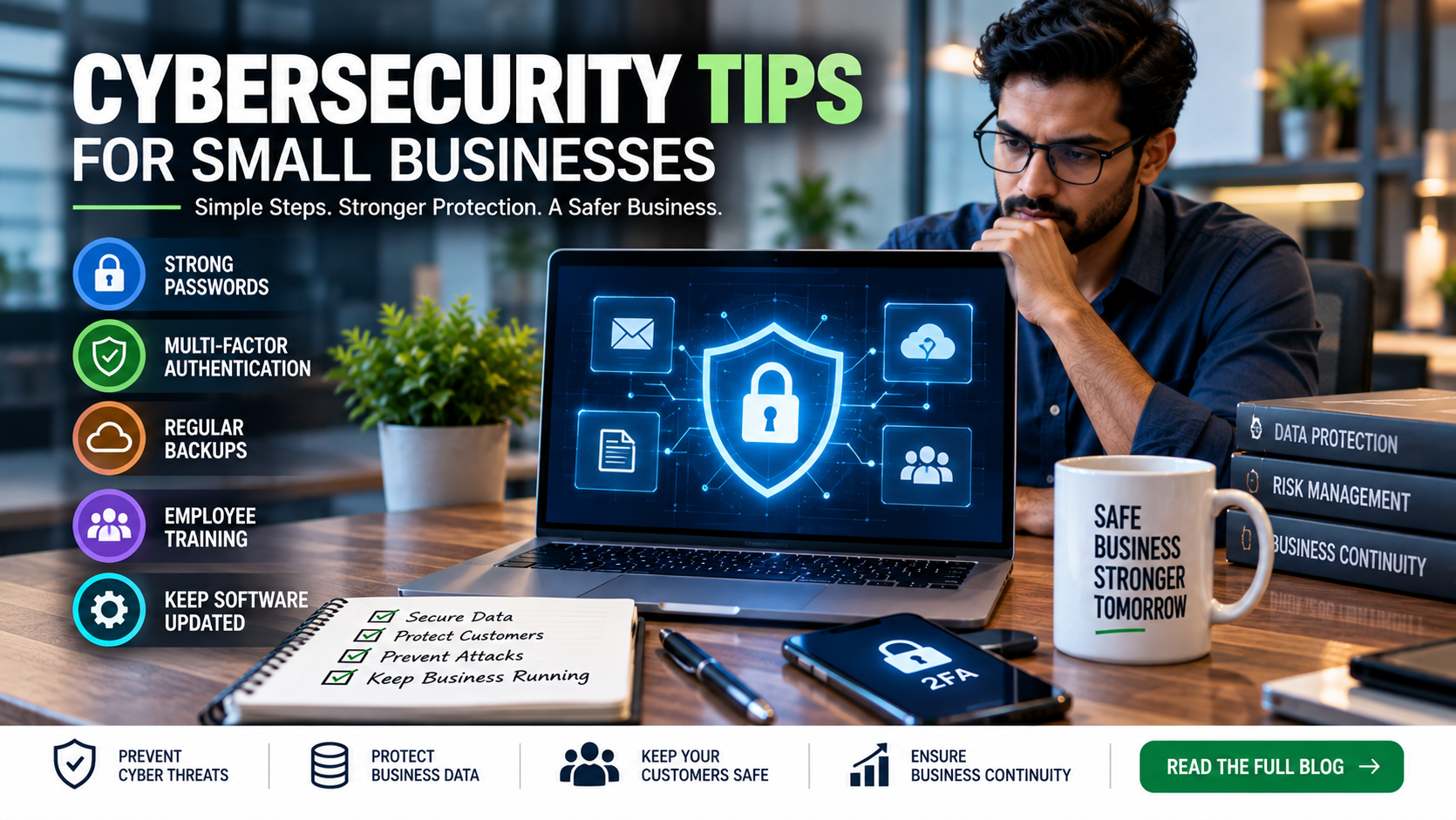
Many of the most important security measures are straightforward: use strong and unique passwords, enable multi-factor authentication, keep software updated, back up important data, train employees, control access, and prepare a response plan.
The Federal Trade Commission (FTC) recommends these types of basic security practices for businesses, including software updates, regular backups, strong passwords, encryption, multi-factor authentication, employee training, and incident-response planning.
So, what should a small business actually do?
Let's look at the most important cybersecurity tips for small businesses.
What Is Cybersecurity for a Small Business?
Cybersecurity is the process of protecting your business's:
-
Computers
-
Smartphones
-
Networks
-
Websites
-
Email accounts
-
Customer information
-
Employee information
-
Financial information
-
Business documents
-
Cloud accounts
-
Applications
-
Online services
from unauthorized access, theft, disruption, manipulation, or other cyber threats.
For a small business, cybersecurity is not simply an IT issue.
It is a business continuity issue.
If your business email is compromised, customer communication may stop.
If your accounting system is compromised, financial information may be exposed.
If your website is attacked, customers may lose trust.
If ransomware locks your files, normal operations may stop.
That is why cybersecurity should be treated as part of everyday business management.
Why Small Businesses Need Cybersecurity
Many small businesses assume that cybercriminals only target large organizations.
That assumption can create unnecessary risk.
Small businesses often handle valuable information while having fewer security controls and limited internal IT resources.
A business may have access to:
-
Customer contact information
-
Payment information
-
Bank accounts
-
Tax records
-
Employee records
-
Business contracts
-
Login credentials
-
Supplier information
-
Financial statements
-
Intellectual property
A compromised account can therefore have consequences far beyond the affected computer.
The FTC specifically notes that cybercriminals target companies of all sizes and recommends basic cybersecurity practices for small businesses.
1. Use Strong, Unique Passwords
One of the simplest cybersecurity improvements is also one of the most important.
Business accounts should not use weak or easily guessed passwords.
Avoid passwords based on:
-
Company names
-
Employee names
-
Birthdays
-
Phone numbers
-
Simple sequences
-
Common words
-
Repeated passwords
The FTC recommends strong passwords and specifically advises businesses not to reuse passwords across accounts. It also recommends longer passwords or passphrases.
Better Approach
Use a unique password for every important account.
For example:
-
Business email
-
Banking
-
Accounting software
-
Cloud storage
-
Website hosting
-
Domain registrar
-
Social media
-
CRM
-
Payment gateway
A password manager can also help employees create and securely manage unique passwords.
2. Enable Multi-Factor Authentication
A password alone may not be enough to protect important accounts.
Multi-factor authentication (MFA) adds another verification step.
Depending on the service, this may involve:
-
Authenticator apps
-
Security keys
-
Temporary codes
-
Biometric verification
-
Other authentication methods
The FTC recommends using MFA to protect sensitive business information and accounts.
Prioritize MFA for:
-
Business email
-
Banking
-
Accounting software
-
Cloud storage
-
Domain accounts
-
Website administration
-
Social media
-
CRM systems
-
Administrator accounts
If an attacker obtains a password, MFA can provide an additional layer of protection.
3. Train Employees to Recognize Phishing
Technology alone cannot protect a business if employees are not trained to recognize suspicious messages.
Phishing messages can appear to come from:
-
A manager
-
A customer
-
A supplier
-
A bank
-
A courier company
-
A software provider
-
A government organization
-
A colleague
They may ask employees to:
-
Click a link
-
Open an attachment
-
Share a password
-
Make a payment
-
Change bank details
-
Download software
-
Verify an account
The FTC recommends regular employee training because phishing tactics change frequently.
4. Teach Employees to Stop Before Clicking
A simple internal rule can prevent many problems:
STOP → CHECK → VERIFY → ACT
Before clicking a suspicious link or following an unusual request, employees should ask:
Is the request unexpected?
If yes, verify it.
Is there unusual urgency?
Messages demanding immediate payment or immediate login deserve additional scrutiny.
Is the sender really who they claim to be?
Check the actual email address rather than relying only on the display name.
Is the link legitimate?
Instead of clicking an unexpected login link, navigate directly to the company's known website or application.
Is money involved?
Verify payment or bank-detail changes through an independent communication channel.
The FTC specifically recommends contacting the supposed sender using a phone number or contact method known to be genuine rather than relying on the suspicious message itself.
5. Keep Software Updated
Outdated software can contain known security vulnerabilities.
This includes:
-
Windows
-
macOS
-
Android
-
iOS
-
Web browsers
-
Accounting software
-
Office applications
-
Antivirus software
-
Website CMS
-
Plugins
-
Mobile applications
-
Network equipment
The FTC recommends regularly updating software, operating systems, browsers, and apps and using automatic updates where possible.
Create a Simple Rule
If an important security update is available, don't ignore it.
For business-managed devices, establish a process for applying updates rather than leaving every employee to decide individually.
6. Back Up Important Business Data
Imagine losing access to:
-
Customer records
-
Accounting data
-
Contracts
-
Invoices
-
Payroll records
-
Project files
-
Product information
-
Marketing assets
What would happen to your business?
Regular backups can help reduce the impact of data loss, ransomware, hardware failure, accidental deletion, or other incidents.
The FTC recommends regularly backing up important files and notes that backups should include copies that are not continuously connected to the network, helping protect them if an attacker gains access to the network.
7. Follow the 3-2-1 Backup Principle
A useful backup strategy is the 3-2-1 approach:
3 Copies
Keep multiple copies of important data.
2 Different Storage Types
Use different storage locations or media.
1 Offsite Copy
Keep at least one backup separated from the primary environment.
The exact implementation should depend on your business's requirements.
For critical information, test whether your backups can actually be restored.
A backup that has never been tested is not a complete recovery strategy.
8. Protect Business Email
Email is one of the most important systems in a modern business.
It may provide access to:
-
Customer conversations
-
Invoices
-
Contracts
-
Password resets
-
Cloud applications
-
Financial information
-
Internal documents
A compromised email account can therefore become a gateway to other systems.
Protect business email with:
-
Strong unique passwords
-
MFA
-
Security updates
-
Spam and phishing protection
-
Access controls
-
Employee training
-
Email authentication
For business email and domains, technologies such as SPF, DKIM, and DMARC can help authenticate email and reduce certain forms of email impersonation. The FTC recommends considering email authentication as part of business security.
9. Secure Your Wi-Fi Network
Your business Wi-Fi network should not be treated as an afterthought.
At minimum:
-
Change default router credentials
-
Use a strong Wi-Fi password
-
Use WPA2 or WPA3 where supported
-
Keep router firmware updated
-
Disable unnecessary remote administration
-
Separate guest Wi-Fi from the business network
The FTC recommends securing routers, changing default usernames and passwords, using WPA2 or WPA3 encryption, and separating guest networks from the primary business network.
10. Separate Guest Wi-Fi From Business Wi-Fi
If customers or visitors need internet access, create a separate guest network.
For example:
Business Network
→ Company laptops
→ Printers
→ Accounting systems
→ Business devices
Guest Network
→ Customer phones
→ Visitor laptops
→ Personal devices
This helps reduce unnecessary exposure of business systems to unmanaged devices.
11. Limit Employee Access
Not every employee needs access to every business system.
For example:
A marketing employee may need access to:
-
Social media
-
Design tools
-
Marketing platforms
But may not need access to:
-
Payroll
-
Banking
-
Accounting administration
-
Customer databases
Use the principle of least privilege:
Give each user only the access required to perform their job.
The FTC recommends limiting access to sensitive information and controlling who can access business networks, computers, and devices.
12. Remove Access When Employees Leave
Employee offboarding is an important cybersecurity process.
When an employee leaves, review and disable their access to:
-
Email
-
Cloud storage
-
Accounting systems
-
CRM
-
Social media
-
Website administration
-
Project management tools
-
VPN
-
Company devices
-
Password managers
Also review shared passwords and administrator accounts.
A former employee should not retain access simply because nobody remembered to remove it.
13. Protect Business Devices
Every laptop, desktop, smartphone, and tablet that accesses company information should be protected.
Use:
-
Device passwords or passcodes
-
Screen locks
-
Encryption where appropriate
-
Security software
-
Automatic updates
-
Remote-management capabilities where appropriate
-
Secure storage
The FTC recommends password protection and encryption for devices and media containing sensitive information.
14. Encrypt Sensitive Data
Encryption helps protect information by making it unreadable without the appropriate key or credentials.
Consider encryption for sensitive information stored on:
-
Laptops
-
Smartphones
-
External drives
-
Cloud storage
-
Backup systems
Sensitive information transmitted outside the company should also be protected appropriately.
The FTC recommends encryption for sensitive data both at rest and in transit.
15. Secure Cloud Accounts
Cloud services are now essential for many small businesses.
Examples include:
-
Google Workspace
-
Microsoft 365
-
Cloud accounting
-
Cloud storage
-
CRM
-
Project management
-
Website hosting
-
Online design tools
For each important cloud service:
Enable MFA
Use unique passwords
Review users regularly
Remove inactive accounts
Limit administrator access
Check security settings
Review connected applications
Maintain appropriate backups or exports
Moving data to the cloud does not eliminate cybersecurity responsibilities.
16. Secure Your Accounting and Financial Systems
Financial accounts deserve additional protection.
This includes:
-
Accounting software
-
Online banking
-
Payment gateways
-
Payroll systems
-
GST/tax-related accounts
-
Expense-management systems
-
Financial cloud storage
Use:
-
MFA
-
Strong passwords
-
Limited access
-
Approval workflows
-
Transaction alerts
-
Regular account reviews
For payments, create a policy requiring independent verification for unusual or high-value requests.
For example:
Email says: “Our bank account has changed. Please pay the new account.”
Don't simply update the supplier's bank details.
Verify the change through a trusted communication channel.
This can help reduce business-email-related payment fraud.
17. Secure Your Website
Your website is part of your business's digital infrastructure.
Keep:
-
CMS software
-
Plugins
-
Themes
-
Server software
-
Security certificates
-
Administrative accounts
properly maintained.
Use HTTPS/TLS and restrict access to website administration.
The FTC recommends asking web-hosting providers about security practices, TLS, software updates, administrative access, and protection of collected data.
18. Be Careful With Third-Party Vendors
Your cybersecurity depends partly on the businesses and platforms you use.
Examples include:
-
Accounting providers
-
Payment processors
-
Cloud platforms
-
IT support companies
-
Marketing agencies
-
Website developers
-
Payroll providers
-
CRM providers
Before giving a vendor access to sensitive systems, ask:
-
What information will they access?
-
Why do they need access?
-
How is it protected?
-
Who can access it?
-
How is access removed?
-
What happens if they experience a breach?
-
What security controls are available?
The FTC recommends considering security requirements in vendor relationships and limiting vendor access to what is necessary.
19. Don't Give Vendors Unlimited Access
If a vendor only needs access to your website, don't give them access to your entire business network.
If an accountant needs access to accounting records, don't automatically provide access to unrelated systems.
Use:
Minimum Required Access
instead of:
Full Administrator Access
where practical.
20. Secure Remote Work
Many employees work from:
-
Home
-
Cafés
-
Hotels
-
Co-working spaces
-
Client offices
-
Airports
Remote work creates additional security considerations.
Employees should:
-
Use secure networks
-
Avoid sensitive work on unknown public computers
-
Keep devices locked
-
Use MFA
-
Keep software updated
-
Avoid sharing business devices
-
Follow company security policies
For remote access to internal business resources, businesses may consider appropriate secure-access technologies such as VPNs, depending on their architecture and requirements. The FTC includes secure remote access among its small-business cybersecurity guidance.
21. Be Careful With Public Wi-Fi
Public Wi-Fi can be convenient, but employees should be cautious when accessing sensitive business systems.
Avoid performing sensitive activities on networks you do not trust unless appropriate security protections are in place.
Employees should also disable automatic connections to unknown Wi-Fi networks where appropriate.
22. Use Antivirus and Endpoint Security
Security software can provide another layer of protection against malware and other threats.
Depending on the business environment, endpoint protection may include:
-
Antivirus
-
Endpoint detection and response
-
Firewall
-
Malware protection
-
Device monitoring
-
Web protection
The right solution depends on the size and technical complexity of the business.
Most importantly, security tools should be maintained and updated.
23. Create a Cybersecurity Policy
A small business does not necessarily need a 100-page security manual.
Start with a simple policy covering:
-
Password requirements
-
MFA
-
Device security
-
Email security
-
Phishing
-
Remote work
-
Data storage
-
Cloud applications
-
Software updates
-
Employee access
-
Vendor access
-
Incident reporting
-
Backup procedures
Employees should know what is expected of them.
24. Train Employees Regularly
One cybersecurity training session is not enough.
Threats change.
Employees should receive periodic reminders about:
-
Phishing
-
Fake invoices
-
Business email impersonation
-
Password security
-
MFA
-
Suspicious attachments
-
Malicious links
-
Social engineering
-
Lost devices
-
Remote-work security
The FTC recommends regular employee training as part of maintaining a security culture.
25. Create a Simple Incident Response Plan
What happens if your business gets hacked?
Don't wait until the incident occurs to decide.
Create a simple response plan.
Step 1 — Identify
Determine what happened.
Step 2 — Contain
Disconnect affected systems where appropriate to limit further damage.
Step 3 — Secure
Protect unaffected accounts and systems.
Step 4 — Investigate
Determine what information or systems may have been affected.
Step 5 — Recover
Restore systems and data from trusted backups.
Step 6 — Notify
Determine whether customers, partners, regulators, law enforcement, insurers, or other parties need to be notified based on applicable requirements.
Step 7 — Learn
Identify what failed and improve the security process.
The FTC recommends having an incident-response plan that addresses data preservation, business continuity, and customer notification where appropriate.
26. Know What to Do If an Account Is Compromised
If you suspect an account has been compromised:
-
Change the password using a trusted device.
-
Enable MFA if it was not already enabled.
-
Review recent account activity.
-
Revoke suspicious sessions or connected applications.
-
Check email forwarding rules where relevant.
-
Review administrator accounts.
-
Notify your IT/security provider.
-
Determine whether other accounts using the same credentials are affected.
-
Preserve relevant evidence.
-
Follow your incident-response process.
Do not simply change one password and assume the problem is solved.
27. Protect Your Business From Ransomware
Ransomware can prevent a business from accessing its own files or systems.
A strong defense includes:
-
Regular backups
-
Tested recovery procedures
-
Security updates
-
Endpoint protection
-
Email security
-
MFA
-
Employee training
-
Network segmentation where appropriate
The FTC specifically recommends maintaining backups and keeping them separated from the network so they are less exposed if attackers compromise connected systems.
28. Don't Ignore Physical Security
Cybersecurity isn't only about the internet.
Physical access can also create digital risk.
Protect:
-
Laptops
-
Smartphones
-
Servers
-
Routers
-
External hard drives
-
USB devices
-
Printed financial documents
Don't leave sensitive devices unattended in public places.
The FTC recommends protecting physical devices and sensitive paper records as part of a broader cybersecurity program.
29. Collect Only the Data You Need
The safest sensitive information is often information you do not unnecessarily keep.
Review:
-
Old customer records
-
Former employee data
-
Outdated documents
-
Old payment information
-
Unused accounts
-
Old backups
Establish appropriate retention and secure disposal procedures based on applicable legal, contractual, tax, and business requirements.
The FTC recommends limiting the sensitive information a business keeps and securely disposing of information and devices when they are no longer needed.
30. Use the NIST Cybersecurity Framework as a Structure
Small businesses don't need to invent their entire cybersecurity strategy from scratch.
The NIST Cybersecurity Framework (CSF) 2.0 provides a flexible structure organized around six functions:
Govern → Identify → Protect → Detect → Respond → Recover
The FTC recommends the NIST CSF as a framework that businesses of different sizes can use to understand, manage, and reduce cybersecurity risk.
For a small business, this can be simplified to:
Govern
Who is responsible for security?
Identify
What devices, systems, data, and vendors do we have?
Protect
What controls are in place?
Detect
How will we notice suspicious activity?
Respond
What will we do when something goes wrong?
Recover
How will we restore normal operations?
A Simple Cybersecurity Checklist for Small Businesses
Use this checklist to assess your current security.
Accounts
-
Unique passwords
-
MFA enabled
-
Password manager where appropriate
-
Administrator accounts limited
-
Former employee access removed
Devices
-
Screen locks enabled
-
Software updated
-
Security software installed
-
Sensitive devices encrypted where appropriate
-
MFA enabled
-
Phishing training completed
-
Suspicious messages can be reported
-
Email authentication configured where appropriate
Network
-
Router credentials changed
-
WPA2/WPA3 enabled
-
Guest Wi-Fi separated
-
Router firmware updated
Data
-
Important files backed up
-
Backups protected from network compromise
-
Restore process tested
-
Sensitive data access restricted
Employees
-
Cybersecurity training
-
Phishing awareness
-
Password policy
-
Device security policy
-
Incident-reporting process
Business Continuity
-
Incident response plan
-
Important vendor contacts
-
Backup recovery plan
-
Communication plan
-
Periodic security review
A 30-Day Cybersecurity Plan for a Small Business
If your business currently has limited cybersecurity controls, don't try to fix everything in one day.
Use a simple 30-day plan.
Week 1: Secure Accounts
-
Change weak passwords
-
Enable MFA
-
Remove inactive users
-
Secure administrator accounts
Week 2: Secure Devices and Network
-
Update software
-
Update routers
-
Review Wi-Fi security
-
Separate guest Wi-Fi
-
Enable appropriate device protection
Week 3: Protect Data
-
Identify important files
-
Set up backups
-
Protect backup copies
-
Test restoration
-
Review sensitive-data access
Week 4: Train and Prepare
-
Train employees
-
Create phishing procedures
-
Create an incident-response plan
-
Review vendors
-
Document cybersecurity responsibilities
After 30 days, continue improving the system rather than treating cybersecurity as a one-time project.
Common Cybersecurity Mistakes Small Businesses Make
1. Using One Password Everywhere
One compromised password can expose multiple accounts.
2. Ignoring MFA
A password alone may not provide sufficient protection for critical accounts.
3. Delaying Software Updates
Known vulnerabilities can remain unpatched.
4. No Tested Backups
Having a backup is not enough if you cannot restore it.
5. Giving Everyone Admin Access
Excessive permissions increase the potential impact of compromised accounts.
6. Trusting Every Email
Phishing attacks can look highly convincing.
7. Forgetting Former Employees
Old accounts can remain active long after an employee leaves.
8. Ignoring Vendors
Third-party access can create additional risk.
9. No Incident Plan
Businesses often discover during an incident that nobody knows who should act.
10. Treating Cybersecurity as Only an IT Problem
Security affects finance, operations, HR, management, customer service, and business continuity.
How Much Should a Small Business Spend on Cybersecurity?
There is no universal cybersecurity budget that fits every business.
Your requirements depend on:
-
Number of employees
-
Type of business
-
Data sensitivity
-
Online systems
-
Financial transactions
-
Regulatory requirements
-
Remote work
-
Number of locations
-
Technology infrastructure
-
Third-party vendors
Instead of asking:
“How much should we spend?”
start by asking:
“What are our most important business assets, and what could happen if we lose them?”
Then prioritize controls that reduce the highest risks.
Cybersecurity Is an Ongoing Process
Cybersecurity is not something you complete once.
New:
-
Vulnerabilities
-
Phishing techniques
-
Malware
-
Scams
-
Software versions
-
Employees
-
Vendors
-
Business applications
appear over time.
The FTC describes security as an ongoing process and recommends keeping software and security practices current rather than treating security as a one-time activity.
A useful cycle is:
Assess → Protect → Monitor → Respond → Recover → Improve
Repeat this regularly.
Final Thoughts
For small businesses, cybersecurity doesn't have to begin with expensive technology.
Start with the fundamentals:
Strong passwords + MFA + software updates + backups + employee training + limited access + secure networks + incident planning
These basic controls can significantly strengthen a business's security posture.
The important thing is consistency.
A business with expensive security software but weak passwords and untrained employees can still face serious risks.
On the other hand, a small business that systematically implements basic controls, regularly reviews access, protects its data, trains employees, and prepares for incidents can build a much stronger foundation.
Cybersecurity should therefore be treated as part of business risk management, not just an IT expense.
Your business's data, money, systems, customers, and reputation all depend on it.
Frequently Asked Questions
1. Why is cybersecurity important for small businesses?
Small businesses depend heavily on digital systems and may hold valuable customer, financial, employee, and business information. A cyber incident can disrupt operations, cause financial losses, and create legal or reputational consequences.
2. What is the most important cybersecurity step for a small business?
There is no single control that solves every cybersecurity problem. Start with strong unique passwords, MFA for important accounts, regular software updates, protected backups, employee training, and restricted access.
3. Should small businesses use multi-factor authentication?
Yes. MFA adds an additional authentication step beyond a password and is particularly important for email, financial, cloud, administrator, and other sensitive accounts.
4. How often should a business back up its data?
The appropriate frequency depends on how much data the business can afford to lose and how quickly it changes. Critical data should be backed up regularly, and recovery procedures should be tested.
5. How can employees identify phishing emails?
Employees should be cautious about unexpected requests, urgent payment instructions, unusual login links, attachments, requests for passwords, and changes to bank details. When in doubt, verify the request through a trusted communication channel.
6. Should small businesses use a cybersecurity policy?
Yes. Even a simple policy can establish expectations for passwords, MFA, devices, remote work, data handling, software updates, access control, phishing, and incident reporting.
7. What should a business do after a cyberattack?
Follow the incident-response plan, contain the affected systems where appropriate, preserve evidence, secure accounts, assess the impact, recover from trusted backups, and determine applicable notification or reporting obligations.
8. Can cybersecurity be completely guaranteed?
No security system can guarantee that a business will never experience an incident. The goal is to reduce risk, detect problems quickly, limit damage, and recover effectively.
Published on September 24, 2026