
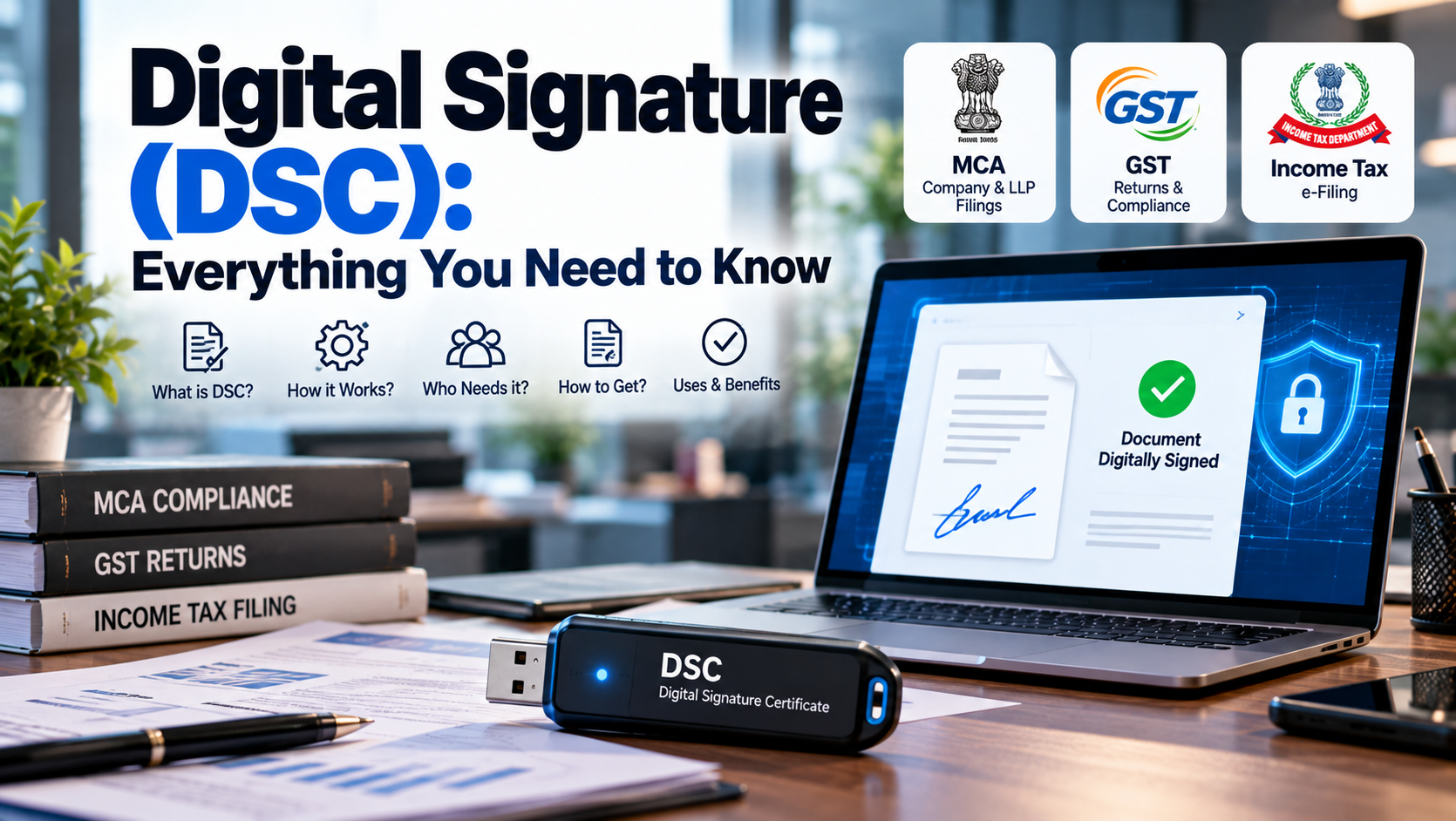
In today's digital business environment, many government filings, tax returns, company compliances and online applications can be completed without physically signing a stack of documents. One of the key technologies that makes this possible is the Digital Signature Certificate (DSC).
A DSC is used to electronically authenticate the identity of a person or organisation while signing digital documents and submitting information through authorised online platforms. In India, Digital Signature Certificates are issued by licensed Certifying Authorities under the framework regulated by the Controller of Certifying Authorities (CCA) under the Information Technology Act, 2000.
For business owners, directors, partners, professionals and taxpayers, understanding DSC is important because it is commonly used for activities involving the MCA, GST Portal, Income Tax e-Filing and other government or regulated online services.
This guide explains everything you need to know about DSC, including what it is, how it works, who needs it, how to obtain it, where it is used and how to keep it secure.
What Is a Digital Signature Certificate (DSC)?
A Digital Signature Certificate (DSC) is an electronic credential that helps establish the identity of a person or organisation for digital transactions and document signing.
The Income Tax Department describes DSC as an electronic form of a physical or paper certificate that serves as proof of identity and authenticates electronic documents in much the same way that a handwritten signature authenticates a physical document.
A digital signature is not simply a scanned image of your handwritten signature.
Instead, it uses cryptographic technology to create a verifiable electronic signature associated with the signer and the document or transaction.
In simple terms:
Handwritten signature → Physical document
Digital signature → Electronic document
A properly applied digital signature helps establish:
-
Who signed the document
-
Whether the document was altered after signing
-
The authenticity of the electronic transaction
-
The signer's intent to authenticate the document or transaction
The CCA explains that digital signatures are based on asymmetric cryptography and that digitally signed electronic documents have legal recognition under the Information Technology Act, 2000.
How Does a Digital Signature Work?
A DSC works using Public Key Infrastructure (PKI) and cryptographic keys.
A simplified process looks like this:
Identity Verification → DSC Issuance → Private Key → Digital Signing → Verification
When a person obtains a DSC from a licensed Certifying Authority, the certificate is associated with their verified identity.
The signing process uses a private key to create the digital signature. The corresponding public information allows the recipient or online system to verify the signature.
The CCA states that India's PKI operates through a trust hierarchy involving the Controller of Certifying Authorities and licensed Certifying Authorities.
Why is this important?
Suppose a company submits an electronic form to a government portal.
The portal needs confidence that:
-
The authorised person actually signed the document.
-
The signature is valid.
-
The certificate is valid and has not been revoked.
-
The document has not been improperly modified after signing.
Digital signatures help provide this electronic authentication.
Who Issues a Digital Signature Certificate in India?
The Controller of Certifying Authorities (CCA) does not generally issue DSCs directly to end users.
Instead, the CCA licenses and regulates Certifying Authorities (CAs), and these licensed CAs issue Digital Signature Certificates to individuals and organisations.
The CCA maintains information about licensed Certifying Authorities and the services they provide.
Examples of licensed CAs listed by the CCA include:
-
eMudhra
-
nCode
-
Capricorn
-
Safescrypt
-
Verasys
-
Pantasign
-
RISL
-
IDSign
-
XtraTrust
-
ProDigiSign
-
SignX
-
Care4Sign
The list can change, so applicants should verify the current licensed-CA information through the official CCA website before purchasing a certificate.
Why Do Businesses Need a DSC?
A DSC has become an important part of digital compliance for many businesses.
Instead of printing documents, signing them manually, scanning them and uploading them, an authorised person can digitally sign eligible electronic forms.
Depending on the entity and service, DSC may be required or supported for activities such as:
-
MCA company and LLP filings
-
GST-related filings
-
Income Tax filings
-
Statutory forms
-
Certain government applications
-
Tender and procurement processes
-
Digital document authentication
-
Other regulated online services
The exact requirement depends on the portal, form, taxpayer/entity category and applicable rules.
DSC for MCA Company and LLP Filings
For companies and LLPs, DSC is particularly important for MCA-related electronic filings.
MCA documentation explains that filings under the MCA21 e-Governance programme are required to use DSC by the person authorised to sign the documents. The MCA system also provides facilities to associate and update registered DSCs.
Depending on the filing, a DSC may be required from:
-
Directors
-
Designated partners
-
Authorised representatives
-
Professionals such as Chartered Accountants
-
Company Secretaries
-
Cost Accountants
-
Other authorised signatories
For example, certain MCA forms require a director or professional to digitally sign the relevant electronic form or document before submission.
Therefore, companies should ensure that the appropriate signatory has a valid DSC before important compliance deadlines.
DSC for GST
Digital signatures are also widely used on the GST Portal.
The GST Portal provides electronic signing options for GST returns and other activities. Its guidance states that returns can be electronically signed using DSC or verified through EVC, with DSC requirements applying to specified entity types such as companies and LLPs.
For GST-related DSC usage, businesses may need to:
-
Obtain an appropriate DSC.
-
Install the required signing utility.
-
Connect the DSC token to the computer.
-
Register the DSC on the GST Portal.
-
Select the appropriate certificate when signing.
-
Enter the DSC PIN.
-
Complete the electronic submission.
The GST Portal also specifies requirements such as a valid, non-expired, registered PAN-based DSC for relevant filings.
DSC for Income Tax e-Filing
The Income Tax e-Filing Portal uses DSC for several activities involving taxpayers and authorised representatives.
The Income Tax Department states that DSC can be used to:
-
Sign Income Tax Returns
-
Sign statutory forms
-
Verify responses to certain notices
-
Handle certain refund-related requests
-
Complete specified e-Verification activities
Some users and entity categories are required to use DSC for particular services.
For companies, the Income Tax Department specifically states that a registered DSC of the Principal Contact is required as part of company registration on the e-Filing Portal.
What Is a Principal Contact?
For a company on the Income Tax e-Filing Portal, the Principal Contact is the individual who acts as the main representative of the company.
The Principal Contact generally has signing authority and receives communications from the Income Tax Department relating to the company.
The company's DSC requirements can therefore be linked to the Principal Contact and the relevant PAN.
If the key person changes, the Income Tax Department provides a process for updating the Principal Contact and registering the new person's DSC.
Types or Classes of DSC
You may come across terms such as:
-
Class 2 DSC
-
Class 3 DSC
However, DSC requirements should not be selected simply based on the label "Class 2" or "Class 3."
The appropriate certificate depends on the application, portal, entity type and required assurance level.
The CCA's current PKI framework includes policies and interoperability guidelines governing certificates and assurance levels.
At the same time, specific government portals may still describe their technical requirements using Class 2/Class 3 terminology. For example, the current Income Tax DSC registration documentation specifies a Class 2 or Class 3 certificate for its DSC registration workflow.
Practical advice
Before purchasing a DSC, check the current requirements of the portal where you intend to use it.
A certificate that works for one purpose may not necessarily meet the requirements of another application.
What Is a DSC USB Token?
A DSC is commonly supplied through a cryptographic USB token.
Think of it as a secure hardware device used to protect the signature-related private key.
The token is connected to a computer when you need to digitally sign a document.
Usually, the signing process involves:
Insert Token → Select Certificate → Enter PIN → Sign → Submit
The CCA's framework includes requirements concerning the secure storage of private keys and cryptographic devices.
This is why the DSC token and its PIN should be treated as sensitive security credentials.
What Documents Are Required to Get a DSC?
The exact requirements can vary depending on the Certifying Authority, applicant type and verification method.
Generally, the process may involve:
-
Identity proof
-
Address or other required details
-
PAN
-
Mobile number
-
Email address
-
Photograph or other verification information where applicable
-
Organisation details for business applicants
-
Authorisation documents where required
The Certifying Authority must verify the identity of the applicant before issuing the certificate under the applicable framework.
How to Get a Digital Signature Certificate
The general process is:
Step 1: Identify Your Requirement
First determine where you intend to use the DSC.
For example:
-
MCA
-
GST
-
Income Tax
-
Government tender
-
Business registration
-
Other government portals
Step 2: Choose a Licensed Certifying Authority
Purchase the DSC from a Certifying Authority licensed under the CCA framework.
Step 3: Complete Identity Verification
Submit the required information and complete the applicable verification process.
Step 4: Receive the DSC
Depending on the service and certificate type, the DSC may be provided through the applicable secure signing mechanism, including a cryptographic token for token-based certificates.
Step 5: Install Required Software
Some government portals require a signing utility or browser/application component.
For example, the Income Tax Portal currently provides its DSC Management Utility/emBridge for DSC-related activities.
Step 6: Register the DSC
The DSC may need to be separately registered on the portal where you intend to use it.
Step 7: Start Signing
Once registered and properly configured, you can use the DSC for eligible digital transactions.
How to Register DSC on the Income Tax Portal
The Income Tax Department provides a dedicated DSC registration facility.
The current process generally involves:
-
Log in to the Income Tax e-Filing Portal.
-
Open your profile.
-
Select Register DSC.
-
Install the required DSC utility.
-
Connect the DSC USB token.
-
Select the relevant certificate.
-
Enter the provider password/PIN.
-
Complete the signing process.
-
Wait for successful validation.
The Income Tax Department's current user manual provides these steps and explains how to re-register an expired DSC or register a new DSC.
How to Register DSC on the GST Portal
For GST-related use, the DSC generally needs to be registered on the GST Portal before it can be used for applicable transactions.
A typical workflow includes:
GST Portal → Register DSC → Connect Token → Select Certificate → Sign → Verify
The GST Portal documentation also notes that the DSC must be valid and registered and that the required signing utility should be installed.
How to Associate DSC with MCA
For MCA filings, the authorised signatory generally needs to associate the DSC with the MCA system before using it for applicable eForms.
The MCA21 documentation specifically provides functionality for:
-
Associating DSC
-
Updating registered DSC
A DSC should be associated with the appropriate user role before filing forms that require digital signatures.
Benefits of Using a Digital Signature
1. Saves Time
Digital signing eliminates many manual steps involved in printing, signing, scanning and uploading documents.
2. Supports Online Compliance
Businesses can complete many statutory and regulatory processes digitally.
3. Improves Document Authentication
A digital signature provides a cryptographically verifiable method of authenticating the signer and the signed electronic document.
4. Reduces Paperwork
Documents can be signed electronically without maintaining physical copies solely for signature purposes.
5. Convenient for Businesses
Directors, partners and professionals can use DSCs for multiple online compliance activities.
6. Improves Workflow Efficiency
Accounting and compliance teams can complete digital filings without repeatedly collecting physical signatures.
7. Supports Remote Business Operations
Digital signing is particularly useful when business owners, directors or authorised representatives are working from different locations.
Digital Signature vs Electronic Signature
These terms are often used interchangeably, but they are not always identical.
An electronic signature is a broader concept covering electronic methods used to indicate a person's approval or intent.
A digital signature is a cryptographic form of electronic signature based on digital certificates and public-key infrastructure.
The CCA distinguishes electronic identity mechanisms from digital signatures and explains that a digital signature binds the electronic authentication to the document or transaction in a verifiable way.
Simple comparison
| Feature | Electronic Signature | Digital Signature |
|---|---|---|
| Meaning | Broad category | Specific cryptographic mechanism |
| Cryptography | May or may not use it | Uses cryptographic technology |
| Digital Certificate | Not always required | Uses a Digital Signature Certificate |
| Authentication | Depends on method | Certificate-based authentication |
| Common Usage | Agreements, approvals, online forms | Government filings and regulated transactions |
DSC vs Scanned Signature
A scanned signature is simply an image of a handwritten signature.
It does not provide the same cryptographic verification mechanism as a digital signature.
Scanned Signature
-
Image of handwritten signature
-
Easy to copy
-
Does not cryptographically bind the signature to the document
-
Generally not a substitute where a portal specifically requires DSC
Digital Signature
-
Certificate-based
-
Cryptographically generated
-
Linked to the signer's digital identity
-
Can be independently verified
-
Used by many government and regulated platforms
This distinction is particularly important for businesses dealing with statutory filings.
How Long Is a DSC Valid?
The validity period of a DSC depends on the certificate issued by the Certifying Authority.
You should always check the certificate's expiry date.
An expired DSC cannot simply be treated as valid because the token still exists.
For example, the Income Tax Department requires users to re-register a DSC when the existing certificate expires.
Best practice
Maintain a record of:
-
DSC holder
-
Certificate number
-
Issue date
-
Expiry date
-
Portal registrations
-
Token location
-
Renewal status
Set a reminder well before expiry to avoid compliance disruption.
What Happens When a DSC Expires?
When a DSC expires, you generally need to obtain a valid replacement certificate and register the new certificate with the relevant portals.
Depending on the portal, simply obtaining a new certificate may not be enough.
You may need to:
Obtain New DSC → Install/Configure → Register New DSC → Test Signature → Continue Filing
The Income Tax Portal, for example, provides a specific process for re-registering an expired DSC.
What Happens If a DSC Is Lost?
If the DSC token is lost, treat it as a security incident.
Do not assume that losing the physical token is harmless.
The appropriate action can include:
-
Contacting the issuing Certifying Authority.
-
Checking whether the certificate needs to be revoked.
-
Securing the related credentials.
-
Obtaining a replacement certificate if necessary.
-
Updating the DSC on relevant portals.
The goal is to prevent unauthorised use of the signing credentials.
What Happens When an Employee Leaves the Company?
This is particularly important for businesses.
A DSC belongs to the subscriber/signatory and should not simply be treated as company property that can be handed to another employee.
The CCA specifically states that when an employee exits an organisation, the organisation should not retain the employee's DSC and signing keys; the certificate should be revoked and the keys destroyed by the subscriber as applicable.
Businesses should therefore include DSC management in their employee offboarding process.
Recommended offboarding checklist
-
Identify all DSCs used by the employee
-
Review portal access
-
Update authorised signatory information
-
Revoke or replace certificates where required
-
Remove unnecessary access
-
Update MCA/GST/Income Tax profiles where applicable
-
Confirm that no former employee retains active signing access
How to Keep Your DSC Secure
A DSC can be used to authenticate important business transactions, so security is essential.
Follow these practices:
1. Never share your DSC PIN
Treat the PIN like a banking password.
2. Keep the USB token secure
Store it safely when not in use.
3. Do not leave the token permanently connected
Connect it when signing and remove it afterward where practical.
4. Never allow unauthorised people to sign
The certificate should remain under the control of the authorised subscriber.
5. Keep signing software updated
Use the current software required by the relevant portal.
6. Monitor certificate expiry
Do not wait until a filing deadline.
7. Verify the document before signing
Always check what you are actually authorising.
8. Report suspected compromise immediately
If you believe your DSC or credentials have been compromised, contact the relevant Certifying Authority and take appropriate steps.
Common DSC Problems and Solutions
Problem 1: DSC Not Detected
Possible causes include:
-
USB token not connected
-
Missing token driver
-
Signing utility not running
-
Browser/application compatibility issue
-
Certificate not detected
Solution
Reconnect the token, check the required driver and signing utility, and follow the relevant portal's current technical instructions.
Problem 2: DSC Not Registered
A valid certificate may still need to be registered separately on the specific government portal.
Solution
Use the portal's DSC management/registration facility and complete the required process.
Problem 3: Certificate Expired
An expired certificate cannot be used for signing.
Solution
Obtain a new valid DSC and re-register it where required.
Problem 4: PAN Mismatch
A mismatch between the DSC information and the relevant PAN/profile can prevent successful authentication.
The Income Tax Department specifically provides guidance for PAN-related DSC mismatch situations.
Solution
Check:
-
PAN
-
DSC details
-
Principal Contact
-
Certificate registration
-
Entity profile
Problem 5: Wrong Signatory
A form may require signing by a specific authorised person.
Solution
Confirm who is legally or procedurally authorised to sign before applying the DSC.
Common Mistakes Businesses Make With DSC
Mistake 1: Buying the Wrong DSC
Not every certificate is suitable for every portal or application.
Mistake 2: Waiting Until the Deadline
Technical problems are more difficult to solve when a filing deadline is only a few hours away.
Mistake 3: Sharing the PIN
A DSC PIN should not be casually shared with staff or outside parties.
Mistake 4: Forgetting Portal Registration
Obtaining a certificate does not necessarily mean it is automatically registered on every portal.
Mistake 5: Ignoring Expiry Dates
An expired DSC can interrupt compliance activities.
Mistake 6: Keeping Former Employees' Certificates Active
Employee exits should trigger a review of signing authority and DSC access.
Mistake 7: Signing Without Checking Documents
Always review the form and attachments before digitally signing.
DSC Checklist for Business Owners
Use this checklist to manage your business DSCs properly:
DSC Acquisition
-
Identify the purpose of the DSC
-
Choose a licensed Certifying Authority
-
Complete identity verification
-
Receive the certificate/token
-
Install required drivers/utilities
Portal Setup
-
Register DSC on MCA if required
-
Register DSC on GST if required
-
Register DSC on Income Tax if required
-
Test the signing process
Security
-
Keep the token secure
-
Keep the PIN confidential
-
Do not share signing credentials
-
Remove token after use
-
Monitor expiry date
Compliance
-
Check certificate validity before major filings
-
Maintain authorised signatory records
-
Update DSC after changes in key personnel
-
Re-register replacement certificates where required
Digital Signature for Small Businesses: Is It Necessary?
For many small businesses, DSC becomes important as the business starts dealing with government portals, statutory compliance and formal online transactions.
A small business may need DSC depending on its:
-
Legal structure
-
GST registration and filing requirements
-
Income Tax filing requirements
-
MCA compliance requirements
-
Tender participation
-
Government registrations
-
Authorised signatory requirements
For example, companies and LLPs encounter DSC requirements in MCA and GST processes, while the Income Tax Portal has specific DSC requirements for certain taxpayers and services.
Therefore, the need for DSC should be assessed based on the business's actual compliance activities rather than assuming that every business needs exactly the same certificate.
Frequently Asked Questions About DSC
1. What is DSC?
DSC stands for Digital Signature Certificate. It is a digital credential used to authenticate a person or organisation when digitally signing eligible electronic documents and transactions.
2. Is DSC legally valid in India?
Digital signatures have legal recognition under the Information Technology Act, 2000, subject to the applicable legal framework and requirements.
3. Who issues DSC in India?
DSCs are issued by Certifying Authorities licensed by the Controller of Certifying Authorities.
4. Can one DSC be used on multiple portals?
It may be possible, depending on the certificate and the requirements of each portal. However, the DSC generally needs to be registered or associated separately with the relevant platforms.
5. Can I use an expired DSC?
No. An expired certificate cannot be treated as a valid certificate for signing.
6. Is DSC required for GST?
The requirement depends on the taxpayer/entity type and transaction. The GST Portal specifies DSC requirements for certain entities, including companies and LLPs.
7. Is DSC required for MCA filings?
DSC is an important requirement for electronic MCA filings, and MCA documentation states that company and LLP filings under MCA21 are required to be filed using DSC by the authorised signatory.
8. Is DSC required for Income Tax filing?
It depends on the taxpayer and filing/service. Certain taxpayers and statutory processes require DSC, while other verification methods may be available for eligible users.
9. Can I share my DSC PIN with my accountant?
You should not casually share your DSC PIN. The PIN and signing token are security credentials associated with the subscriber.
10. What should I do if my DSC is about to expire?
Arrange a replacement DSC in advance and register the new certificate on the portals where it is required.
Final Thoughts
A Digital Signature Certificate (DSC) is much more than an electronic version of a handwritten signature. It is an important component of India's digital compliance ecosystem, helping businesses and professionals authenticate electronic documents and transactions.
For companies, LLPs, directors, professionals and taxpayers, DSC can be essential for activities involving platforms such as MCA, GST and Income Tax.
The most important things to remember are:
-
Obtain the appropriate DSC from a licensed Certifying Authority.
-
Understand which portals require it.
-
Register it before you need to make an urgent filing.
-
Keep the DSC token and PIN secure.
-
Monitor the expiry date.
-
Update signing authority when personnel change.
-
Never sign documents without reviewing them first.
Proper DSC management can make digital compliance faster, more secure and significantly easier to manage.
If you are unsure which DSC is appropriate for your business or how to register and use it for MCA, GST or Income Tax compliance, consult a qualified professional before proceeding.
Published on September 25, 2026