

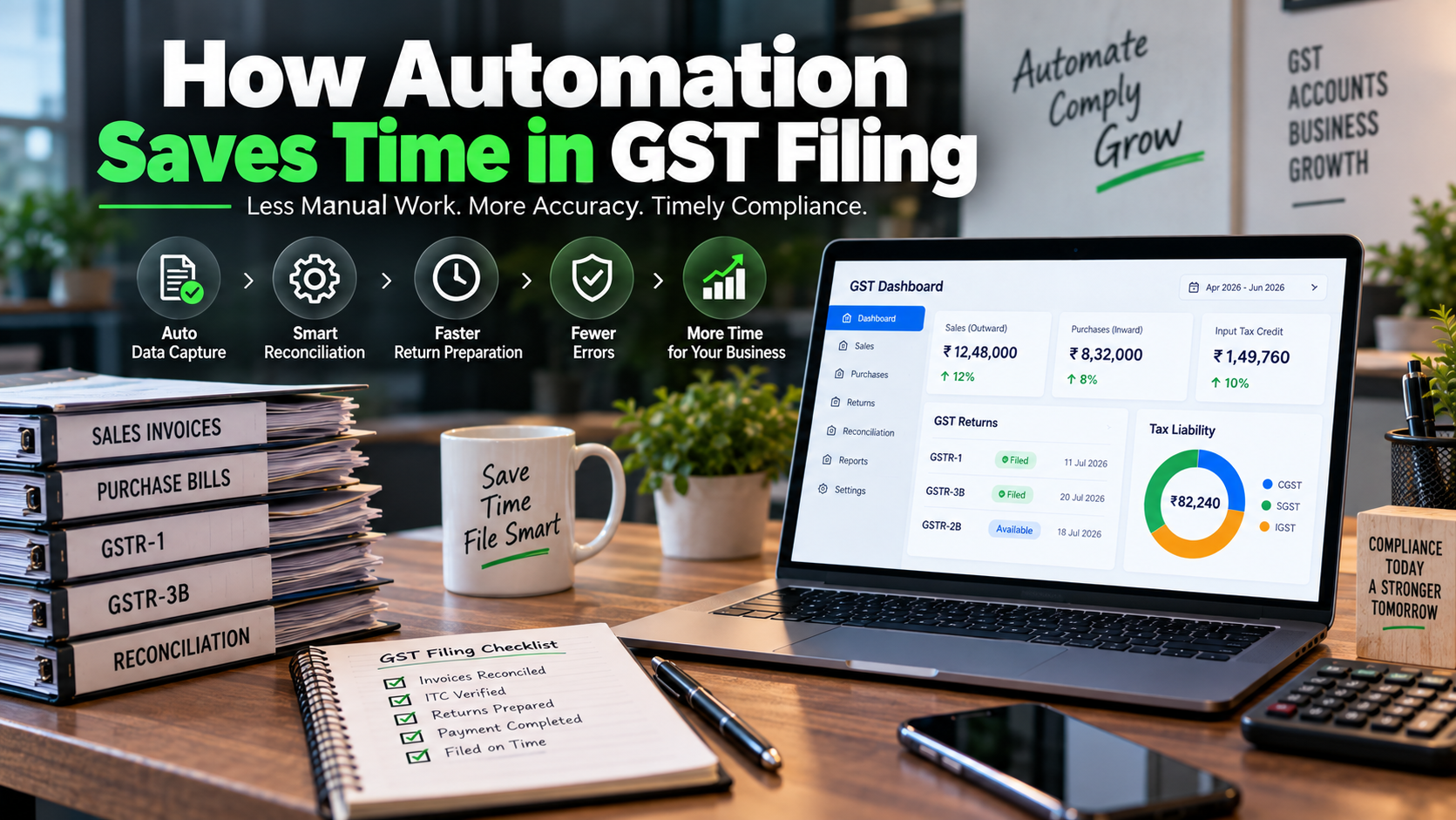
GST compliance can become time-consuming for businesses that manage sales invoices, purchase bills, input tax credit, e-invoices, bank transactions, reconciliations, and GST returns manually.
For a small business with a limited number of transactions, manual GST preparation may seem manageable. But as transaction volumes increase, the process can become increasingly difficult.
This is where GST filing automation can make a significant difference.
Automation can help businesses collect transaction data, organize invoices, reconcile records, identify mismatches, prepare return information, and reduce repetitive data-entry work.
However, automation does not mean that a business can simply press a button and forget about GST compliance. The quality of the underlying accounting data, proper configuration, reconciliation, review, and timely filing still matter.
So, how does automation save time in GST filing?
Let's understand the process step by step.
What Is GST Filing Automation?
GST filing automation means using accounting software, GST-compliant systems, APIs, e-invoicing integrations, reconciliation tools, and automated workflows to reduce manual work involved in preparing GST returns.
A traditional workflow may look like:
Invoices → Manual Data Entry → Spreadsheet → Reconciliation → GST Calculation → Return Preparation → Review → Filing
An automated workflow can look more like:
Invoices → Accounting Software → Automated Data Processing → Reconciliation → Exception Review → Return Preparation → Final Review → Filing
The exact level of automation depends on the accounting software, integrations, transaction volume, and business processes being used.
Why Does GST Filing Take So Much Time?
GST compliance involves much more than entering a few numbers into a return.
Businesses may need to manage:
-
Sales invoices
-
Purchase invoices
-
Credit notes
-
Debit notes
-
B2B transactions
-
B2C transactions
-
Export transactions
-
Reverse-charge transactions
-
Input tax credit
-
E-invoices
-
E-way bills
-
GST payments
-
GSTR-1
-
GSTR-3B
-
GSTR-2B
-
Reconciliations
-
Amendments
-
Tax-rate classifications
-
HSN/SAC information
For businesses with hundreds or thousands of transactions, manually handling every piece of information can consume substantial accounting time.
Automation helps by reducing repetitive work and creating a structured flow of information.
1. Automated Invoice Data Capture
One of the biggest sources of accounting workload is entering invoice information manually.
A typical GST invoice may contain:
-
Supplier GSTIN
-
Customer GSTIN
-
Invoice number
-
Invoice date
-
Taxable value
-
CGST
-
SGST
-
IGST
-
HSN/SAC
-
Tax rate
-
Total invoice value
Entering this information manually for every invoice takes time.
Modern accounting and document-processing systems can extract invoice information electronically, depending on the software and available integrations.
Instead of repeatedly typing the same information, the accounting system can capture and organize the data.
Traditional Process
Read Invoice → Type Data → Check Data → Save → Repeat
Automated Process
Upload/Receive Invoice → Data Extraction → Validation → Accounting Entry → Review Exceptions
This can significantly reduce repetitive data-entry work.
2. E-Invoice Data Can Flow Into GSTR-1
One of the most useful examples of GST-related automation is the connection between e-invoicing and GSTR-1.
The GST system states that e-invoice details are received from the Invoice Registration Portal and auto-populated into specified tables of GSTR-1. The GST portal explains that this reduces the need for taxpayers to upload the same outward-supply information again.
This creates an important automated flow:
Business Invoice → IRP → IRN → GST Portal → GSTR-1
The GST portal notes that e-invoice details are generally updated in GSTR-1 within two days of the invoice being reported on the IRP.
This is particularly useful for businesses generating large numbers of applicable e-invoices.
However, businesses should still review the auto-populated information before filing.
3. Reduces Duplicate Data Entry
Duplicate data entry is one of the biggest sources of wasted accounting time.
Imagine a company issues an invoice and then has to:
-
Enter it into billing software.
-
Enter it into accounting software.
-
Add it to a spreadsheet.
-
Enter the details into GST records.
-
Prepare a separate reconciliation file.
This creates unnecessary work.
With properly integrated systems, the same transaction can flow through connected accounting and GST workflows.
For example:
Sales Invoice
↓
Accounting Entry
↓
E-Invoice / GST Data
↓
GSTR-1 Data
↓
Financial Reports
The objective is to enter information once and reuse it wherever appropriate.
4. Automated Purchase Data Reconciliation
Input tax credit is an important area of GST compliance.
Businesses need to compare their purchase records with information available through the GST system.
GSTR-2B is a system-generated statement containing relevant supplier-reported information, and the GST portal provides information on how supplier filings feed into the statement.
Automation can help compare:
Purchase Register ↔ GSTR-2B
The system may identify:
-
Matching invoices
-
Missing invoices
-
Amount differences
-
GSTIN differences
-
Invoice-number differences
-
Tax-value differences
-
Duplicate entries
Instead of manually comparing every invoice, accountants can focus their attention on exceptions.
5. Automated ITC Reconciliation
Consider a business with 1,500 purchase invoices in a month.
Manually comparing every invoice with GST data can be extremely time-consuming.
A reconciliation system can categorize transactions such as:
Matched
Purchase invoice and GST data agree.
Mismatch
Values or other invoice details differ.
Missing in GSTR-2B
The purchase exists in the accounting records but corresponding information is not appearing in the relevant statement.
Missing in Books
GST data exists but the corresponding purchase has not been recorded internally.
Duplicate
The same transaction appears more than once.
This approach changes the accountant's task from:
“Check 1,500 invoices one by one.”
to:
“Review the exceptions identified by the system.”
That can save substantial time.
6. Faster GSTR-1 Preparation
GSTR-1 contains details of outward supplies.
The GST portal provides online and offline methods for preparing GSTR-1, and it also supports auto-population of specified e-invoice data.
Accounting software can further organize sales information before it reaches the return-preparation stage.
A typical workflow may be:
Sales Transactions
↓
Invoice Validation
↓
GST Classification
↓
E-Invoice Where Applicable
↓
GSTR-1 Data
↓
Review
↓
Filing
Automation can reduce manual compilation work, particularly for businesses with large sales volumes.
7. Faster GSTR-3B Preparation
GSTR-3B summarizes important GST liability and input tax credit information.
The GST system provides system-generated information and auto-populated data for relevant sections. GST guidance also provides functionality for reviewing and filing GSTR-3B.
Automation can help businesses organize:
-
Taxable outward supplies
-
Output tax
-
Eligible input tax credit
-
Reverse-charge liabilities
-
Tax payments
-
Other relevant figures
The accountant can then review the figures before filing.
This reduces the amount of manual calculation and consolidation required.
8. Automated Tax Calculations
GST calculations can involve multiple tax rates and transaction types.
For example:
-
0%
-
5%
-
12%
-
18%
-
28%
A business may also have transactions involving:
-
CGST + SGST
-
IGST
-
Exempt supplies
-
Zero-rated supplies
-
Reverse charge
-
Credit notes
-
Debit notes
Accounting software can apply configured tax rules to transactions.
For example:
Taxable Value: ₹1,00,000
GST Rate: 18%
The system can calculate the applicable tax automatically according to the configured tax treatment.
However, automation depends on correct product/service classification and tax configuration.
If the wrong GST rate is configured, the software can repeat the wrong calculation consistently.
That is why professional review remains important.
9. Automated Credit and Debit Note Management
Credit notes and debit notes can complicate GST reporting.
A business may issue a credit note because of:
-
Sales returns
-
Discounts
-
Pricing adjustments
-
Invoice corrections
-
Other commercial adjustments
If these documents are handled manually, accountants may need to:
-
Locate the original invoice
-
Verify the adjustment
-
Calculate tax impact
-
Update accounting records
-
Update GST records
-
Reconcile the revised figures
Automated accounting workflows can connect credit/debit notes with the relevant transaction and reduce duplicate work.
10. HSN/SAC and Tax Classification
Correct classification is an important part of GST invoicing and reporting.
Businesses may deal with hundreds of products or services.
Automation can help apply predefined HSN/SAC and tax configurations based on the product or service master.
For example:
Product → HSN → GST Rate → Accounting Ledger
Once properly configured, recurring transactions can be processed consistently.
However, businesses should review classifications whenever products, services, tax rules, or business circumstances change.
11. Automated Error Detection
Automation can help identify potential errors before filing.
A system may flag:
-
Missing GSTIN
-
Duplicate invoice numbers
-
Incorrect tax calculations
-
Missing tax rates
-
Mismatched taxable values
-
Missing invoices
-
Duplicate purchases
-
Unusual transactions
-
Reconciliation differences
-
Invalid or incomplete information
The benefit is not that software eliminates every error.
The benefit is that it can identify potential problems earlier.
This gives accountants more time to investigate and correct them.
12. Automated Reconciliation Saves the Most Time
For many businesses, reconciliation is one of the most time-consuming parts of GST compliance.
There can be multiple sources of information:
Books
Sales Register
Purchase Register
E-Invoice Data
GSTR-1
GSTR-2B
Bank Records
Supplier Records
Without automation, accountants may need to compare these sources manually.
With appropriate software, matching rules can be applied automatically.
The accountant then focuses on:
Matched → Confirm
Mismatch → Investigate
Missing → Follow Up
Duplicate → Correct
This exception-based approach can dramatically improve accounting efficiency.
13. Automated GST Reports
Management may need GST-related information before the actual filing date.
For example:
-
Output GST
-
Input GST
-
Net GST liability
-
Taxable turnover
-
ITC availability
-
Vendor mismatches
-
Customer transaction summaries
Accounting systems can generate reports based on recorded transactions.
This means the finance team does not always need to build a new spreadsheet from scratch every month.
14. Automated Reminders and Workflows
GST compliance involves deadlines.
A missed deadline can create additional compliance issues and may result in interest or late fees depending on the applicable circumstances.
Automation can help businesses create internal reminders for:
-
Invoice collection
-
Purchase reconciliation
-
GSTR-2B review
-
GSTR-1 preparation
-
GSTR-3B preparation
-
Tax payment
-
Return review
-
Filing authorization
For example:
Day 1–5: Collect invoices
Day 6–10: Reconcile purchase data
Day 11–15: Review sales data
Day 16–20: Prepare GST returns
Before filing: Final review and approval
The exact timetable should be aligned with the taxpayer's applicable filing frequency and statutory deadlines.
15. Better Document Management
GST compliance requires businesses to maintain supporting documentation.
A digital accounting system can help organize:
-
Sales invoices
-
Purchase invoices
-
Credit notes
-
Debit notes
-
E-invoices
-
Payment records
-
Expense documents
-
Reconciliation reports
Instead of searching through physical files, authorized users can search digital records.
This can save time during:
-
Monthly GST filing
-
Audits
-
Tax reviews
-
Internal checks
-
Management reporting
16. Automation Helps Accountants Focus on Exceptions
This is one of the most important benefits.
Without automation, an accountant may spend most of the time processing transactions.
With automation:
Software handles routine transactions.
Accountant handles exceptions.
For example:
Automated
1,000 invoices processed.
Accountant Reviews
25 mismatches.
Management Attention
5 high-value issues.
This allows accounting professionals to spend more time on transactions that actually require judgment.
17. Automation Improves the GST Filing Workflow
A modern GST workflow can look like this:
Step 1 — Sales
Sales transactions are recorded in accounting software.
↓
Step 2 — Invoice
GST-compliant invoices are generated.
↓
Step 3 — E-Invoice
Where applicable, e-invoice information is reported through the relevant system.
↓
Step 4 — Accounting
Transactions are automatically recorded.
↓
Step 5 — GSTR-1
Relevant outward-supply information is prepared and, where applicable, auto-populated through GST system integrations.
↓
Step 6 — Purchases
Purchase invoices are recorded digitally.
↓
Step 7 — GSTR-2B
Available supplier-reported information is reviewed.
↓
Step 8 — Reconciliation
Books are compared with GST data.
↓
Step 9 — Exception Review
Mismatches and missing records are investigated.
↓
Step 10 — GSTR-3B
Return figures are prepared and reviewed.
↓
Step 11 — Tax Payment
Applicable GST liability is paid.
↓
Step 12 — Filing
Authorized personnel complete the filing process.
This creates a structured compliance cycle instead of a last-minute filing exercise.
18. What Automation Cannot Do for You
Automation is powerful, but it should not be treated as a substitute for accounting judgment.
A software system cannot automatically guarantee that:
-
Every transaction is correctly classified
-
Every invoice is genuine
-
Every ITC claim is legally eligible
-
Every GST rate is correct
-
Every supplier has complied properly
-
Every business decision is correct
-
Every tax interpretation is appropriate
For example, a system may identify that a purchase invoice exists.
But determining whether the related input tax credit is actually eligible may require reviewing the transaction, applicable GST provisions, documentation, and business circumstances.
That is why automation + professional review is a stronger approach than automation alone.
19. Automation Does Not Mean “File Without Checking”
One of the biggest mistakes businesses make is assuming that automatically generated GST data is always correct.
The GST portal itself advises taxpayers to review e-invoice information auto-populated into GSTR-1 before filing. It also notes that certain outward-supply information not reported through e-invoicing still needs to be entered separately.
Therefore:
Automated Data → Review → Reconcile → Correct → File
is safer than:
Automated Data → File Immediately
The objective of automation is to reduce workload—not remove accountability.
20. How Much Time Can GST Automation Save?
The exact time savings depend on:
-
Number of transactions
-
Number of GST registrations
-
Accounting software
-
Integration quality
-
Invoice volume
-
Number of suppliers
-
Number of customers
-
Reconciliation complexity
-
Quality of source data
-
Internal accounting processes
A business processing 50 invoices a month will have very different requirements from a company processing 5,000 invoices.
Therefore, businesses should measure their own workflow.
A simple measurement can be:
Current GST preparation hours − Automated GST preparation hours = Time saved
For example, if a finance team spends 30 hours preparing and reconciling GST information each month and automation reduces this to 12 hours:
30 − 12 = 18 hours saved per month
That equals:
216 hours saved per year
This is an illustrative example, not a universal benchmark.
21. How Small Businesses Can Start GST Automation
You do not need to automate everything at once.
Start with the most repetitive tasks.
Stage 1: Digital Invoicing
Move from manual invoices to structured digital invoices.
Stage 2: Accounting Software
Connect sales, purchases, expenses, and payments.
Stage 3: Bank Integration
Where supported, connect bank feeds for easier transaction recording and reconciliation.
Stage 4: E-Invoice Integration
If applicable to the business, integrate e-invoicing into the sales workflow.
Stage 5: Purchase Reconciliation
Compare purchase records with available GST data.
Stage 6: Automated Reports
Create regular GST and financial reports.
Stage 7: Exception Management
Create a process for resolving mismatches.
Stage 8: Review and Improve
Measure time saved and identify remaining manual bottlenecks.
22. Choosing the Right GST Automation Software
Not every accounting platform offers the same features.
Before choosing a solution, consider:
GST Compatibility
Does it support the GST workflows your business requires?
E-Invoice Integration
Can it connect with applicable e-invoicing processes?
Reconciliation
Can it compare purchase records with GST data?
Multi-GSTIN Support
Useful for businesses operating through multiple registrations.
Reporting
Can it generate the reports your accountant and management need?
User Controls
Can you control who can view, edit, approve, and file information?
Audit Trail
Can changes and activities be tracked?
Integrations
Can it connect with your existing ERP, POS, e-commerce, payroll, banking, or other systems?
Scalability
Will the system continue to work as transaction volumes increase?
Support
Is technical and accounting support available when problems occur?
23. GST Automation for Growing Businesses
As a business grows, GST complexity often grows with it.
A company may move from:
100 invoices/month
to:
500 invoices/month
and eventually:
5,000+ invoices/month
Manual processes that worked at the beginning may become inefficient.
Growth may also introduce:
-
Multiple branches
-
Multiple GST registrations
-
More suppliers
-
More customers
-
More products
-
More tax categories
-
Higher reconciliation volume
Automation helps create a repeatable process that can scale with transaction volume.
24. The Biggest Benefit: Less Repetitive Work
GST automation is not primarily about replacing accountants.
It is about eliminating unnecessary manual work.
Instead of spending hours:
-
Copying invoice numbers
-
Typing GSTINs
-
Calculating taxes
-
Matching invoices
-
Searching for documents
-
Preparing repetitive spreadsheets
accountants can spend more time:
-
Reviewing exceptions
-
Checking compliance
-
Investigating mismatches
-
Analyzing financial data
-
Advising business owners
-
Improving internal controls
This makes accounting work more productive.
GST Automation Checklist
Before automating your GST workflow, ask:
-
Are all sales invoices recorded digitally?
-
Are purchase invoices organized?
-
Is your accounting software GST-compatible?
-
Are applicable e-invoices integrated?
-
Are purchase records reconciled with GST data?
-
Are mismatches tracked?
-
Are duplicate invoices identified?
-
Are GST rates configured correctly?
-
Are HSN/SAC details reviewed?
-
Are credit and debit notes properly linked?
-
Are GST reports generated regularly?
-
Are filing deadlines monitored?
-
Are user permissions controlled?
-
Is there a review process before filing?
-
Are accounting records backed up appropriately?
If several answers are no, there may be significant opportunities to improve your GST workflow.
The Future of GST Filing Is More Connected
GST compliance is increasingly becoming a connected digital process.
Businesses can potentially connect:
Sales → Invoicing → E-Invoice → Accounting → Reconciliation → GST Returns → Financial Reporting
The objective is to minimize repeated data entry and create a reliable flow of information.
The GST system already supports several forms of digital data flow, including e-invoice information being used to populate specified GSTR-1 fields and system-generated information relevant to GSTR-3B and GSTR-2B.
This means businesses should think about GST compliance as part of their overall accounting system rather than as a separate monthly task.
Final Thoughts
GST filing automation can save businesses significant time by reducing repetitive data entry, improving reconciliation, organizing documents, automating calculations, and creating more structured filing workflows.
But automation should not mean blindly trusting software.
The most effective process is:
Automate → Reconcile → Review → Correct → File
When accounting data is accurate and systems are properly integrated, automation can allow accountants to spend less time processing routine information and more time on analysis, compliance, and business support.
For a growing business, the goal should not simply be to file GST faster.
The goal should be to build a GST process that is:
-
Accurate
-
Organized
-
Scalable
-
Traceable
-
Efficient
-
Properly reviewed
That is where GST automation creates its real value.
Frequently Asked Questions
1. What is GST filing automation?
GST filing automation is the use of accounting software, integrations, reconciliation tools, and digital workflows to reduce manual work involved in preparing and filing GST returns.
2. How does automation save time in GST filing?
It can reduce manual data entry, automate calculations, import transaction information, assist with reconciliation, identify mismatches, organize documents, and prepare return information faster.
3. Can e-invoices automatically appear in GSTR-1?
Applicable e-invoice information is transferred from the Invoice Registration Portal to the GST system and specified details are auto-populated into GSTR-1. Taxpayers should review the information before filing.
4. Can GST automation reduce reconciliation work?
Yes. Accounting and reconciliation systems can compare internal purchase records with GST information and identify matches and exceptions. The accountant can then focus on resolving mismatches rather than manually checking every transaction.
5. Does GST automation eliminate the need for an accountant?
No. Automation can reduce repetitive work, but professional review remains important for classification, reconciliation, ITC evaluation, compliance interpretation, and exception handling.
6. Is GST automation useful for small businesses?
Yes. Even small businesses can benefit from digital invoicing, automated calculations, organized records, and structured reconciliation. The level of automation should match the business's size and transaction volume.
7. Is automated GST filing completely error-free?
No. Incorrect source data, wrong tax configuration, missing transactions, and classification errors can still lead to incorrect results. Automated information should be reviewed before filing.
8. What should I automate first?
Start with repetitive processes such as digital invoicing, transaction recording, bank reconciliation, purchase reconciliation, document management, and GST report preparation.
Published on September 23, 2026